No Color Change Example 237
User Guide v 2.0 — March 2023 Color Change
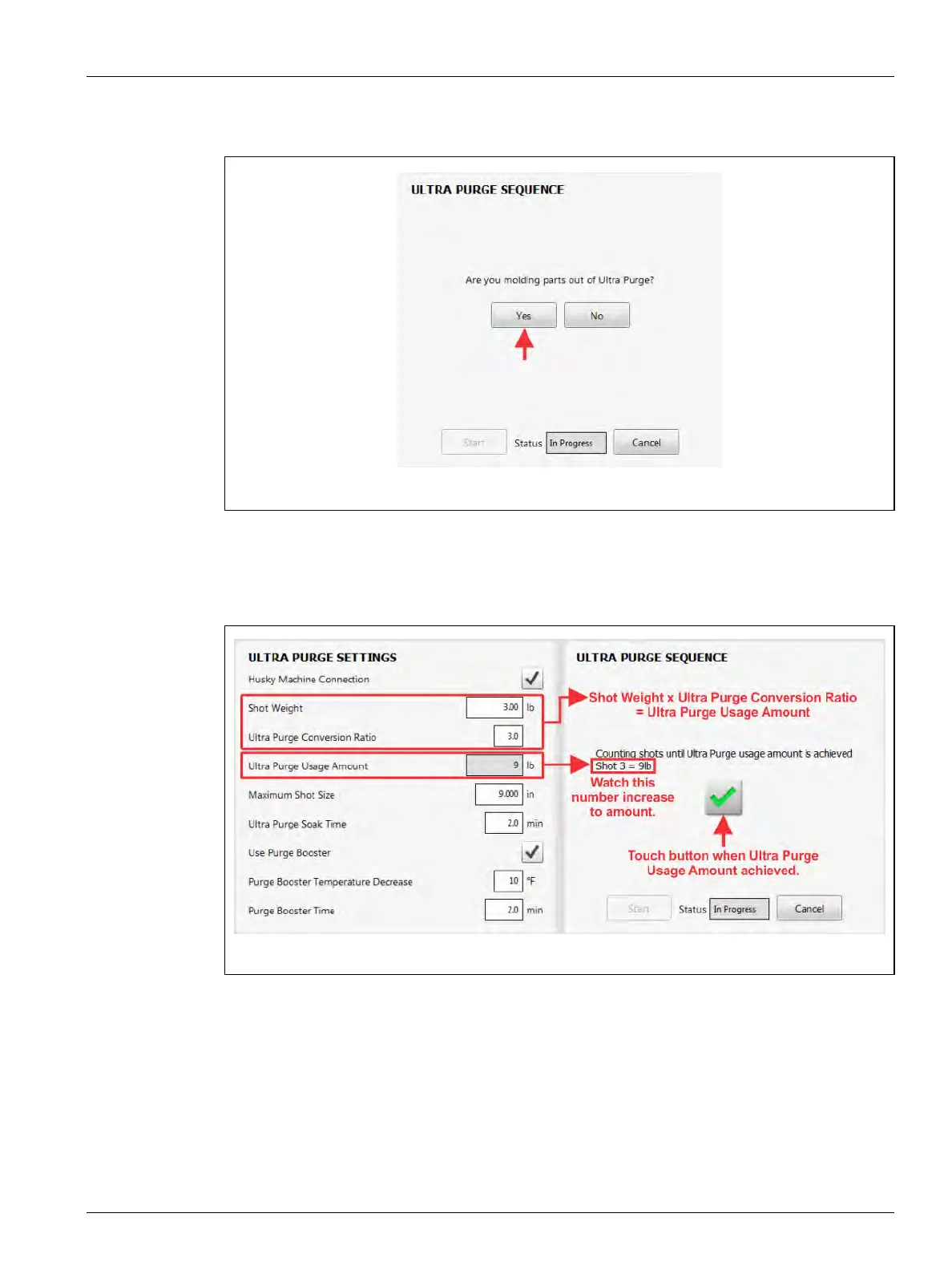
9. When asked if "You are molding parts out of Ultra Purge?", touch the Yes button (refer
to Figure 13-42).
With the Husky Machine Connection enabled, the controller will count the shots and
calculate when the Ultra Purge Usage Amount is achieved.
10. Touch the green check mark button when the controller gets to the Ultra Purge Usage
Amount (refer to Figure 13-43).
Figure 13-42 Molding Parts from Ultra Purge?
Figure 13-43 Counting Shots Until Ultra Purge Usage Amount is Achieved



 To Next Page