Replace an Open Fuse on an Intelligent Control Card 277
User Guide v 2.0 — March 2023 Maintenance
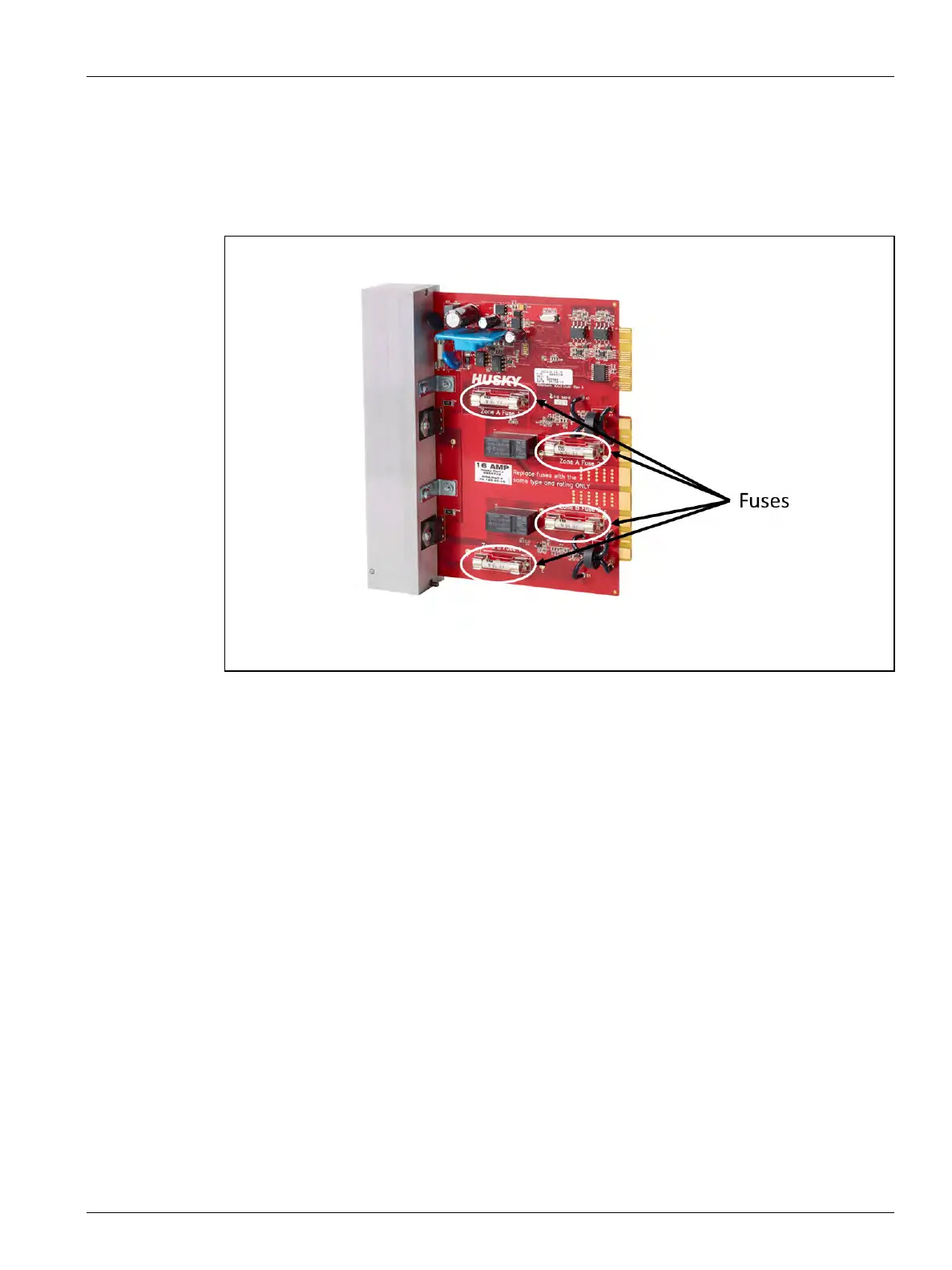
7. Remove and replace the faulty fuse with one of identical type and rating. Refer to
Figure 16-11.
Husky recommends SIBA 712540 Series or equivalent fuses. Make sure the fuse is fully
seated. Poor seating will cause a hot spot, which can cause problems for the system.
NOTE: 20- and 30-Amp cards will only have two fuses. 5-Amp cards will have 8 fuses.
8. Slide the new card into to the slot and push the card slowly and firmly back into place.
An incorrectly oriented card will not seat properly.
9. Tighten the upper and lower slotted fasteners on the heat sink.
10. Remove the lock out equipment and tag from the main power switch.
11. Energize the system at the main power switch.
Figure 16-11 Fuse Location



 To Next Page