Remove and Replace the Operator Interface 289
User Guide v 2.0 — March 2023 Maintenance
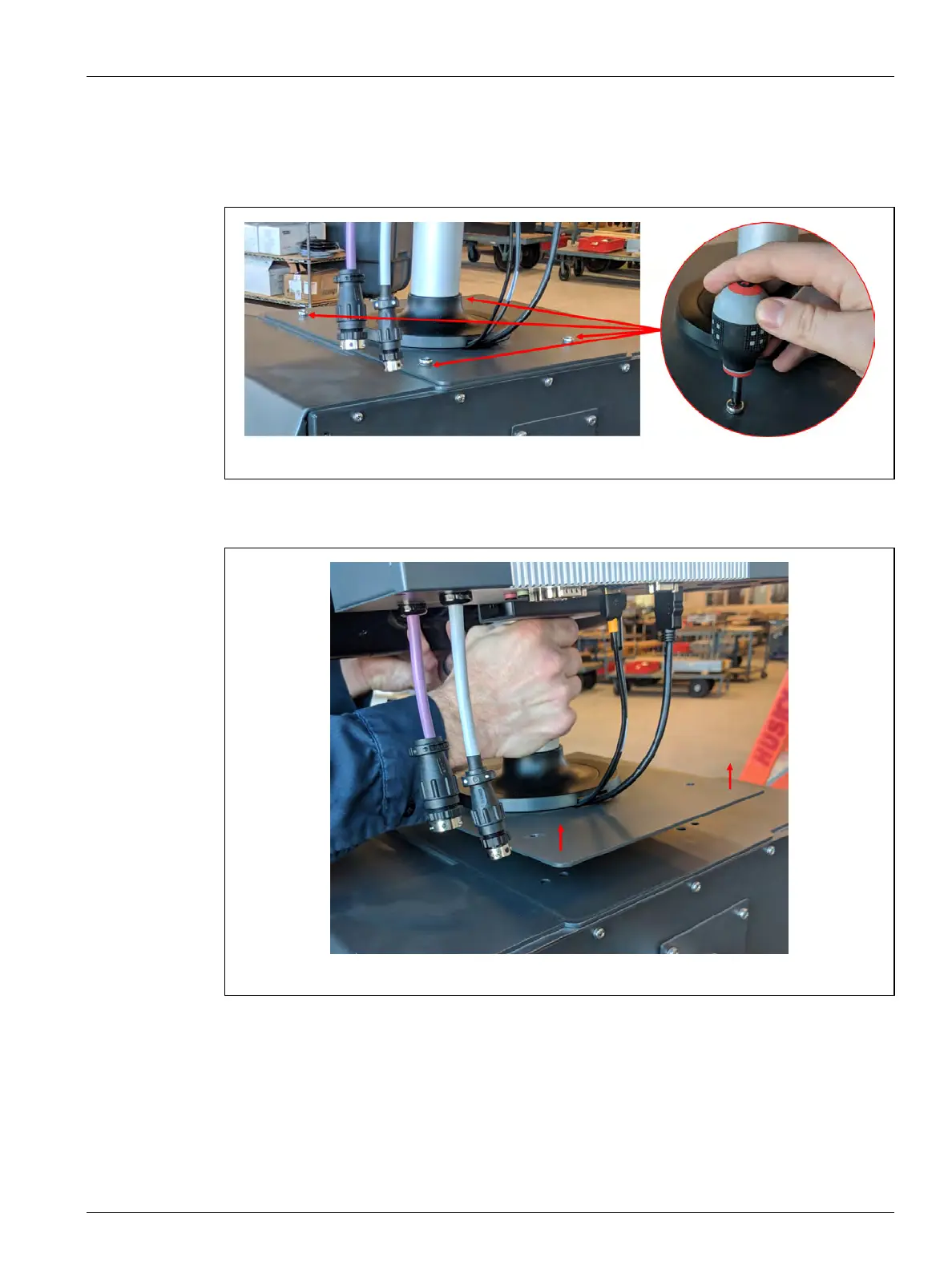
4. Use a #4 Phillips screwdriver to remove the four screws that hold the operator interface
to the top of the mainframe. Refer to Figure 16-22.
NOTE: This step will require a screwdriver short enough to clear the MCU located above
the two back mounting screws.
5. Securely hold the operator interface at the silver mounting pole and carefully lift the
unit from the top of the mainframe. Refer to Figure 16-23.
6. When you install the replacement operator interface, securely hold the operator
interface at the silver mounting pole when you lift it.
7. Put the operator interface on the top of the mainframe.
8. Align the four screw holes in the base plate with the holes in the top of the mainframe.
9. Install the four screws and tighten them with a #4 Phillips screwdriver.
NOTE: This step will require a screwdriver short enough to clear the MCU located above
the two back mounting screws.
Figure 16-22 Operator Interface Screw Removal
Figure 16-23 Remove the Operator Interface



 To Next Page