v 2.0 — March 2023 Altanium Delta5
302 Install the Dual Touch Monitor
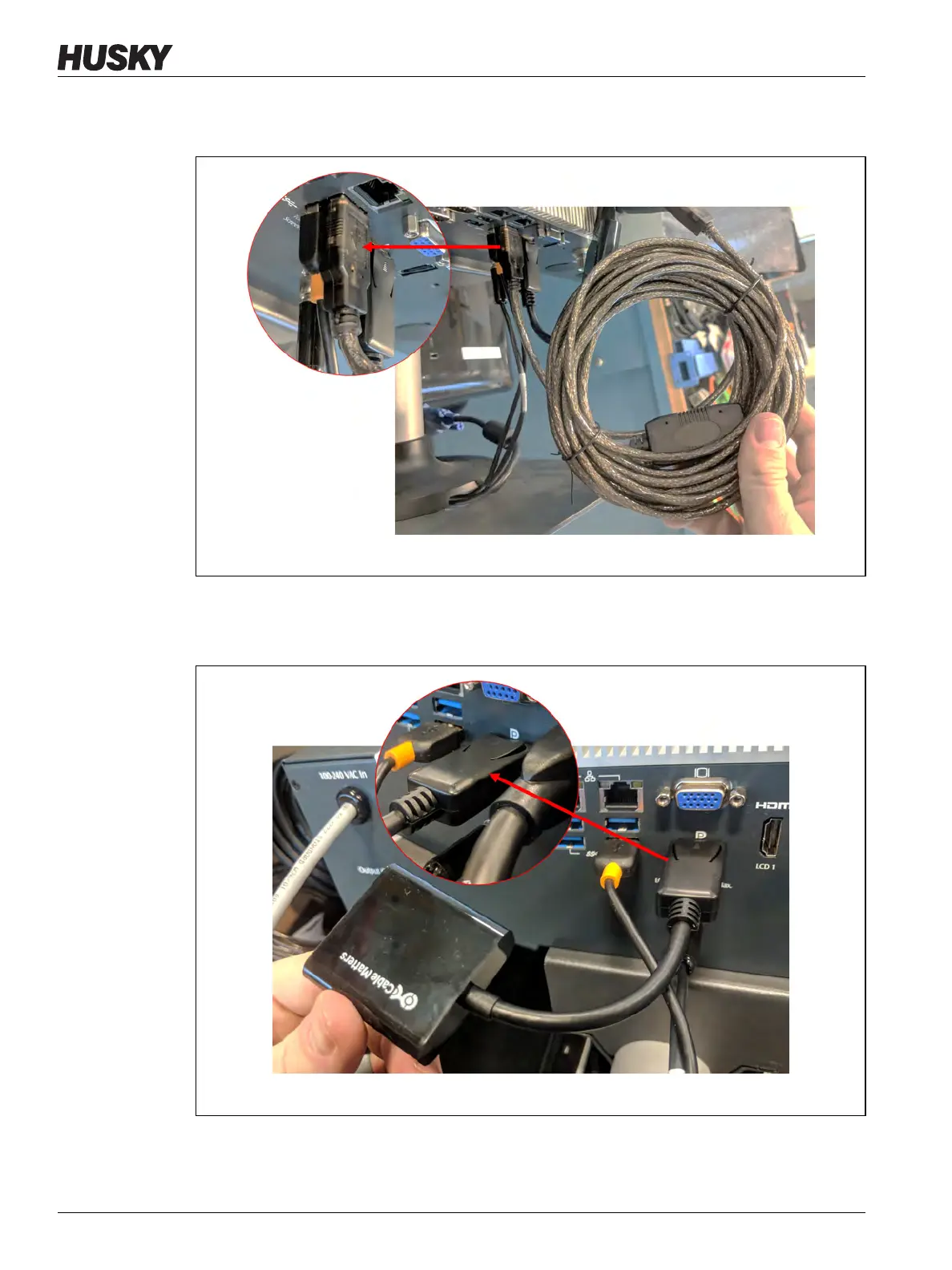
4. Connect the USB Extension cable (USB Type A connector end) to one of the available
USB ports on the bottom of the MCU enclosure. Refer to Figure 16-39.
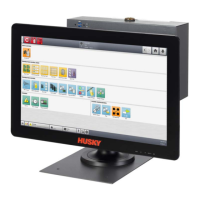
5. Connect the DisplayPort to HDMI Converter (DisplayPort connector end) to the
DisplayPort connector (behind the VGA connector) on the bottom of the MCU
enclosure. Refer to Figure 16-40.
Figure 16-39 USB Extension Cable
Figure 16-40 DisplayPort to HDMI Converter (DisplayPort Connector End)


 To Next Page