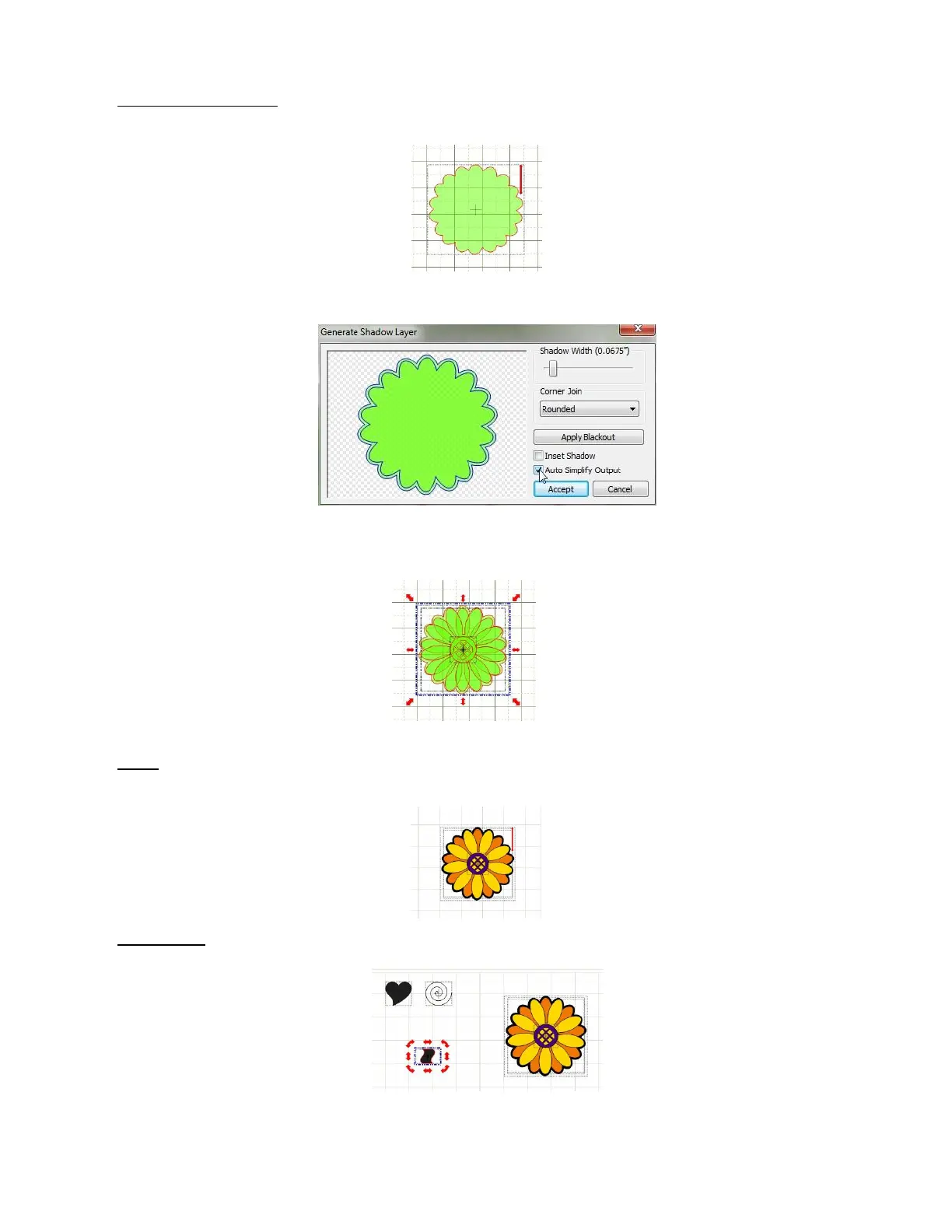
Flower Shadow or Mat: The last part of the main flower is to create an outset shadow of the entire flower.
The first step is to select the entire flower head and apply Copy and Paste in Place to create a new copy
on top of the old. Move the new copy away from the flower and apply the Weld tool.
Select the flower outline and press the Shadow Layer icon:
Use the settings above to make a shadow for the flower. Press Accept when you are done. Delete the
original outline (the smaller one). Select the flower and the shadow and press S to Stack them together.
Color: Set the mat to Contrast on the Virtual Mat tab. Make sure each shape is on its own layer, then
move the layers up or down so that the center of the flower is on top. Change the colors of the two sets of
petals and the center:
Flower Stem: Select the Wavy shape and move it away from the other shapes. Click on the Rotate 90
degrees icon:
Click on the shape until you see the red Scale mode icons then elongate the shape, by dragging the red
icons, until it is the size and appearance of the stem you want:



 To Next Page