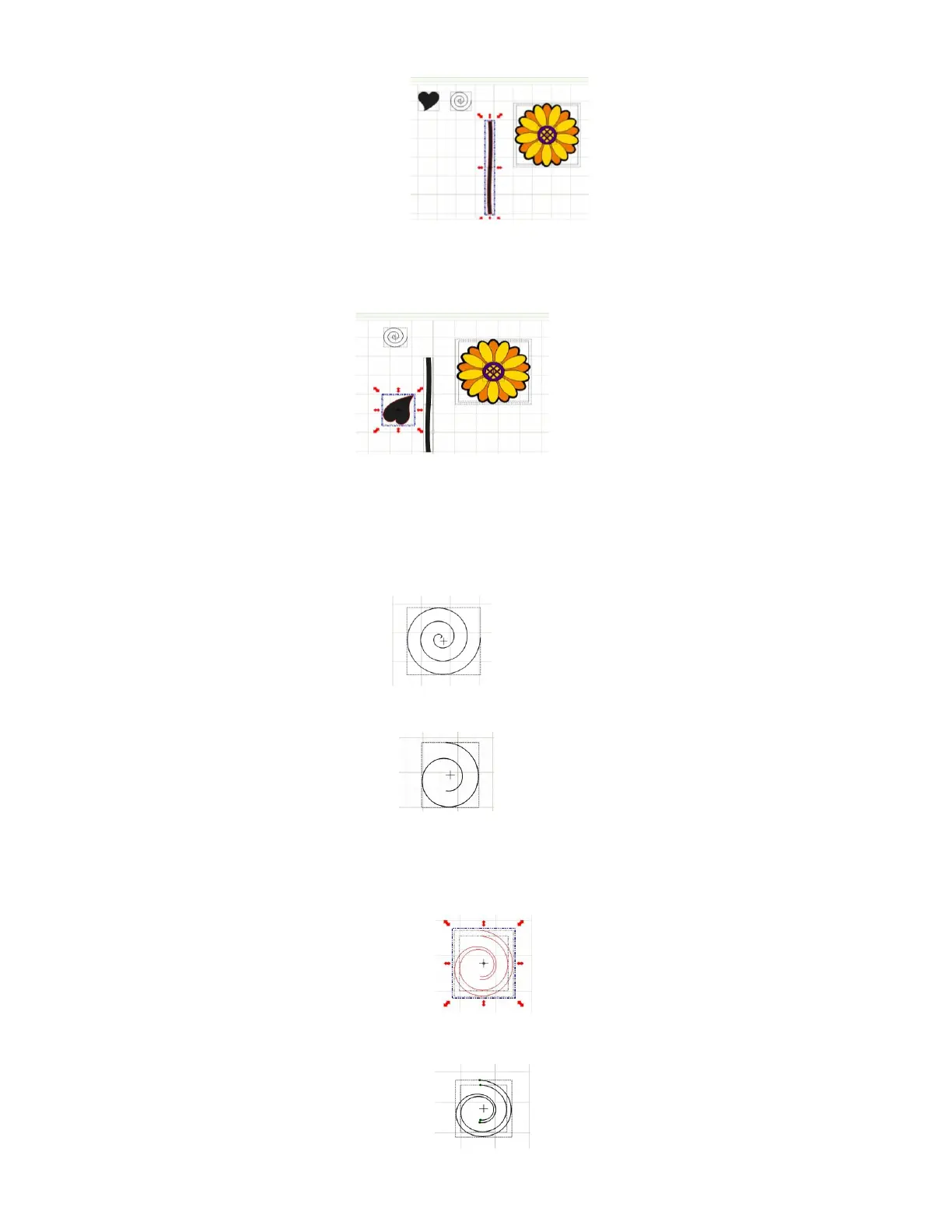
Leaf: Select the Heart shape and bring it down to the stem. Manipulate it until it is the shape and size you
want for a leaf. Do this by using the different red Scale icons in Scale mode. You may also wish to try some
of the red warping icons in Warp mode (red Quad arrows):
Place the leaf near the stem. Later you will use the Fat Path in the Pen Tool in Node Edit Mode to add a
little stem to the main stalk:
Sprial: The Basic Shape Swirl is an open path/single line shape which needs to be converted into the spiral
that will be cut out. It also has a few too many turns for the flower:
Use the Node Edit Tool to delete nodes at the start and at the end of the Swirl to reduce the number of
turns:
To convert to the spiral that will be welded to the flower stem, select the modified Swirl and use Copy and
Paste In Place to make a copy. Select the copy, and reduce in size to make it smaller but not change the
shape. Arrange the two shapes and press S to Stack them:
Combine the two paths into a single shape by using the Pen Tool in Edit Node Mode (press F5):



 To Next Page