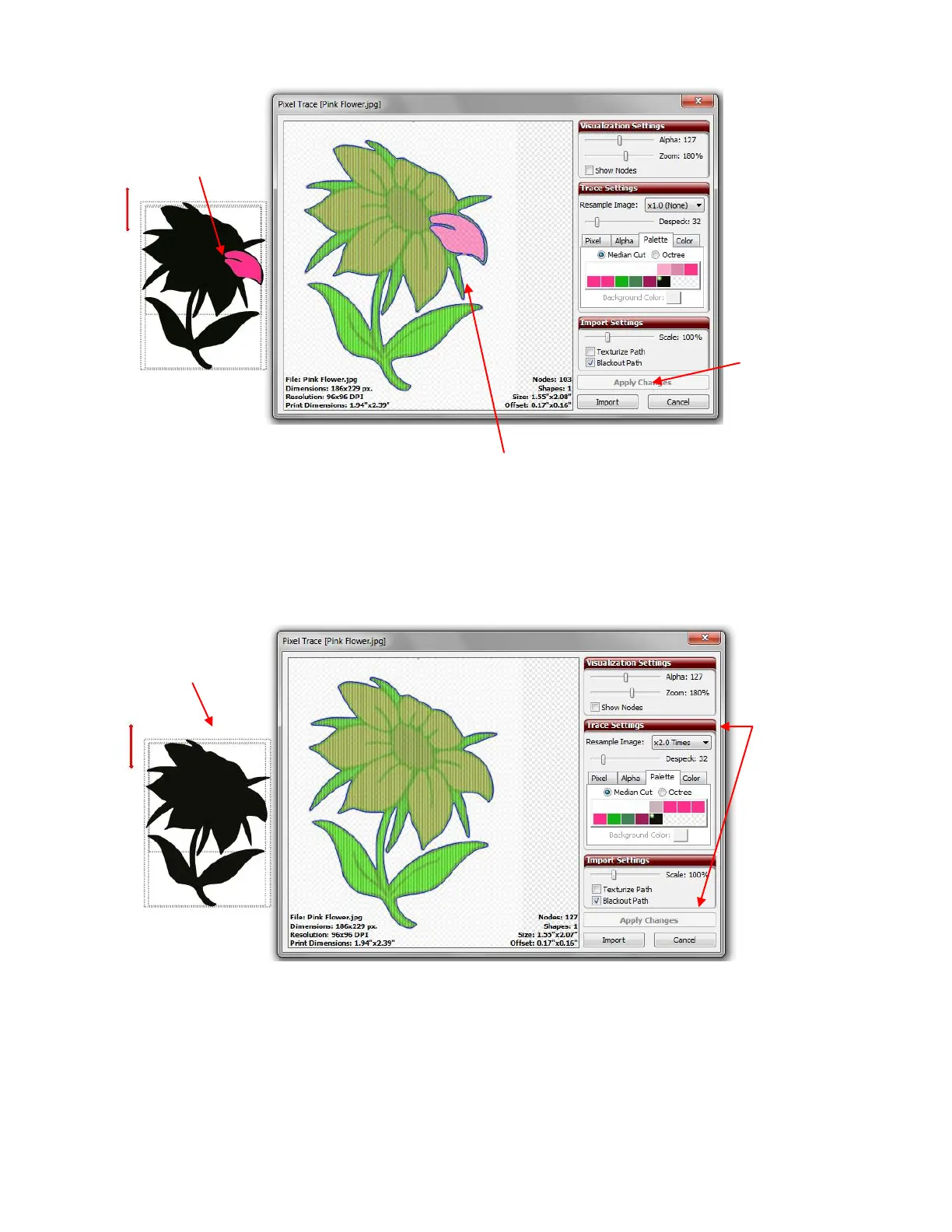
But there’s a problem! Instead of seeing one large black outline of the flower, there’s still a petal showing.
This is because the black wasn’t recognized as extending around the outside edge of that petal. But not to
worry… increasing the Resample Image value to X2.0 Times provided a closer trace and which then
covered that thin section around that particular petal:
Click on Import and answer No. On the Layers Bar, you will see the different layers of your image.
However there is no Show/Hide Layer icon on those individual layers. Thus you need to click on the Layer
Options Menu and select To Each Its Own:
One of the
petals still
appears!
There is one small spot where the
black is not a continuous path.
Mark the
Blackout Path
option and then
click on Apply
Changes.
Outline now
looks complete!
Increase Resample
Image. Then click
on Apply Changes.



 To Next Page