MAINTENANCE AN D SERVICING
7. Add some clean fuel to tank to flush out any
remainin g contaminants.
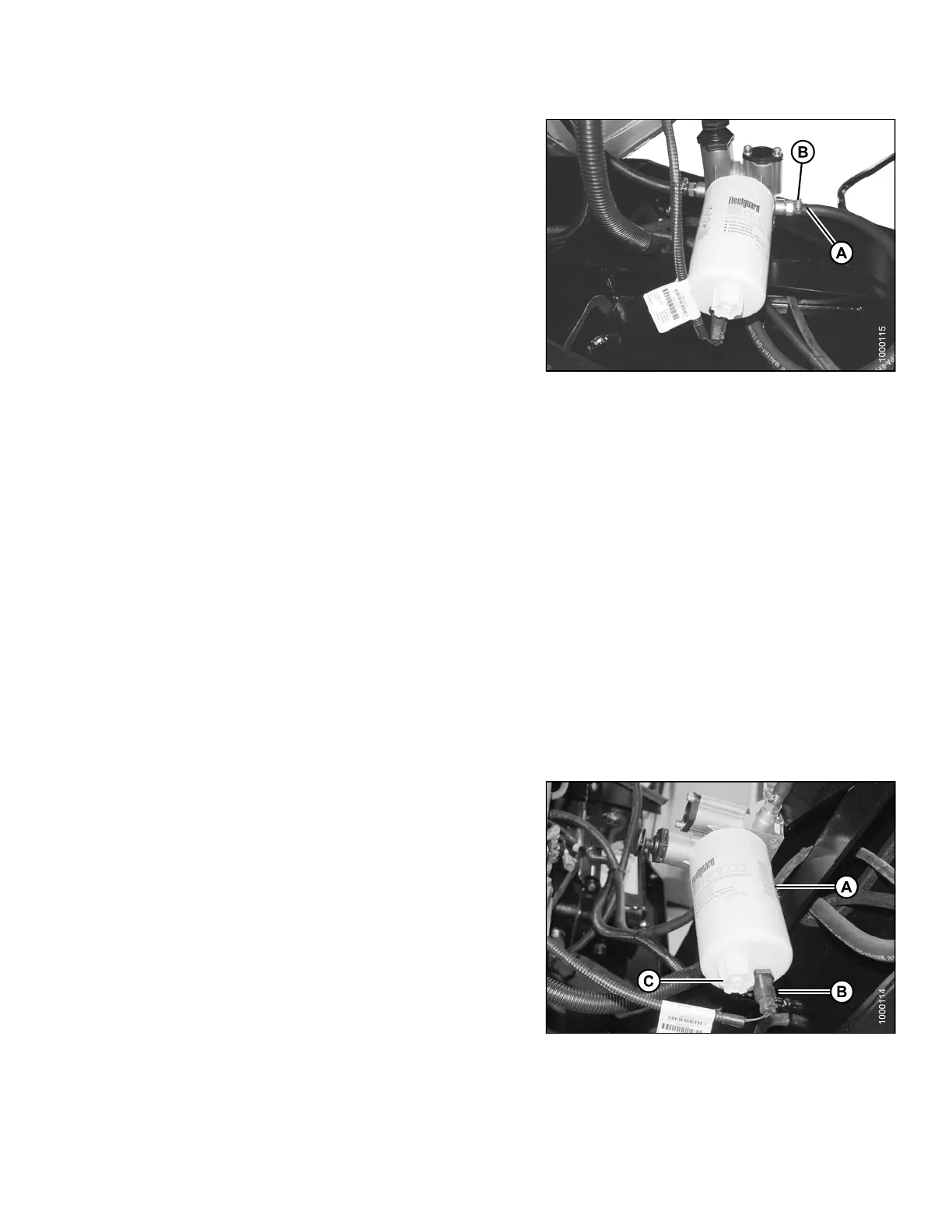
8. Reattach fuel supply hose (A) to fitting. In stall
clamp (B) and tighten.
NOTE:
Do NOT refill the fuel tank if you need to work on the
system. Refill it once work is co mpleted. Refer to Filling
Fuel Tank, page 92.
Figure 5.90: Fuel System
Fuel/Water Separator
A fuel wate
r separator is incorporated into the primary fuel filter. The separator is equipped with a drain and with a
sensor tha
t detects water in the fuel and alerts the Operator on the cab display module (CDM).
Refer to t
he following procedure to remove water from the fuel system:
• Removing Water from Fuel System, page 243.
Removing Water from Fuel System
Drain the water and sediment as follows from the separator daily, or at any time the cab display module (CDM)
water in fue l (WIF) light illuminates.
1. Stop the engine and remove the key.
2. Open the hood, refer to 5.4.1 Opening Hood (Lower
Position), page 202.
3. Place a container under the filter (A) to catch
spilled fluid.
4. Turn drain valve (C) by hand 1-1/2 to 2 turns
counterclockwise until draining occurs.
5. Drain the filter sump of water and sediment until clear
fuel is visible.
6. Turnthevalveclockwisetoclosethedrain.
7. Dispose of fluid safely.
8. Close the hood, refer to 5.4. 2 Clo sing Ho od (L ower
Position), page 203.
Figure 5.91: Fuel System
169890 243 Revision A



 To Next Page