MAINTENANCE AND SERVICING
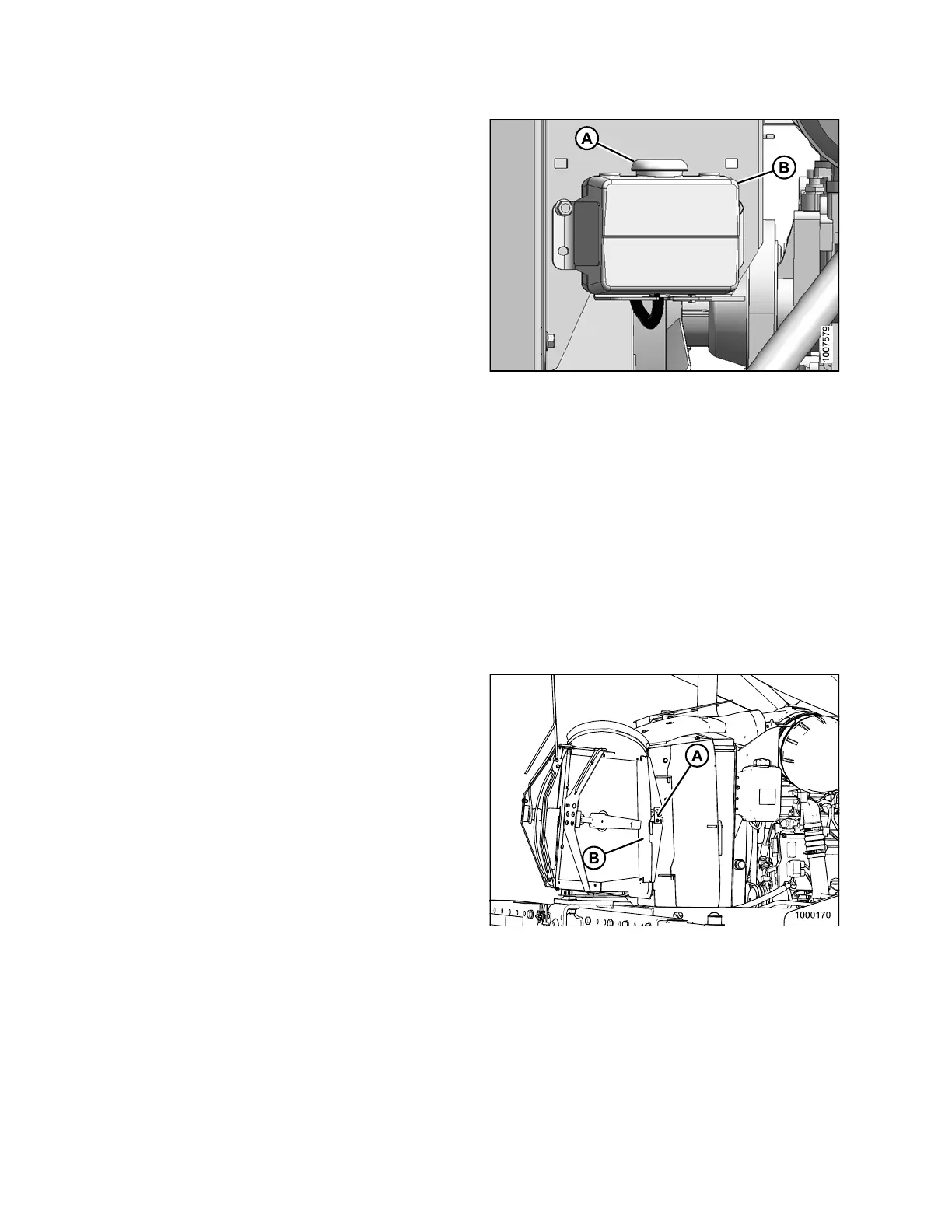
3. Remove cap (B) and add coolant until one-half full.
NOTE:
For coolant specifications, refer to Lubricants, Fluids,
and System Capacities, page 199.
4. Replace cap (B).
5. Close the platform. Refer to 5.5.2 C lo sin g Platform
(Standard Position), page 206.
6. Close the hood. Refer to 5.4.4 Closing Hood (Highest
Position), page 204.
Figure 5.101: Engine Cooling System
Maintaining Engine Cooling Box
Refer to th
e following procedures:
• Opening Co
oler Box Screen, page 250
• Cleaning
Screens and Coolers, page 251
• Cleaning
Cooler Box C omponents, page 252
• Adjustin
g Screen Cleaner Duct to Screen Clearance, page 254
• Closing
Cooler Box Screen, page 255
Opening
Cooler Box Screen
1. Open the hood. Refer to 5.4.3 O pening Hood (Highest
Position), page 203.
2. Push latch (A) and open screen assembly access
door (B). Secure with rod stored inside screen door.
Figure 5.102: Engine Cooling System
169890 250 Revision A



 To Next Page