Proceed as follows:
Click the 'Next' button.
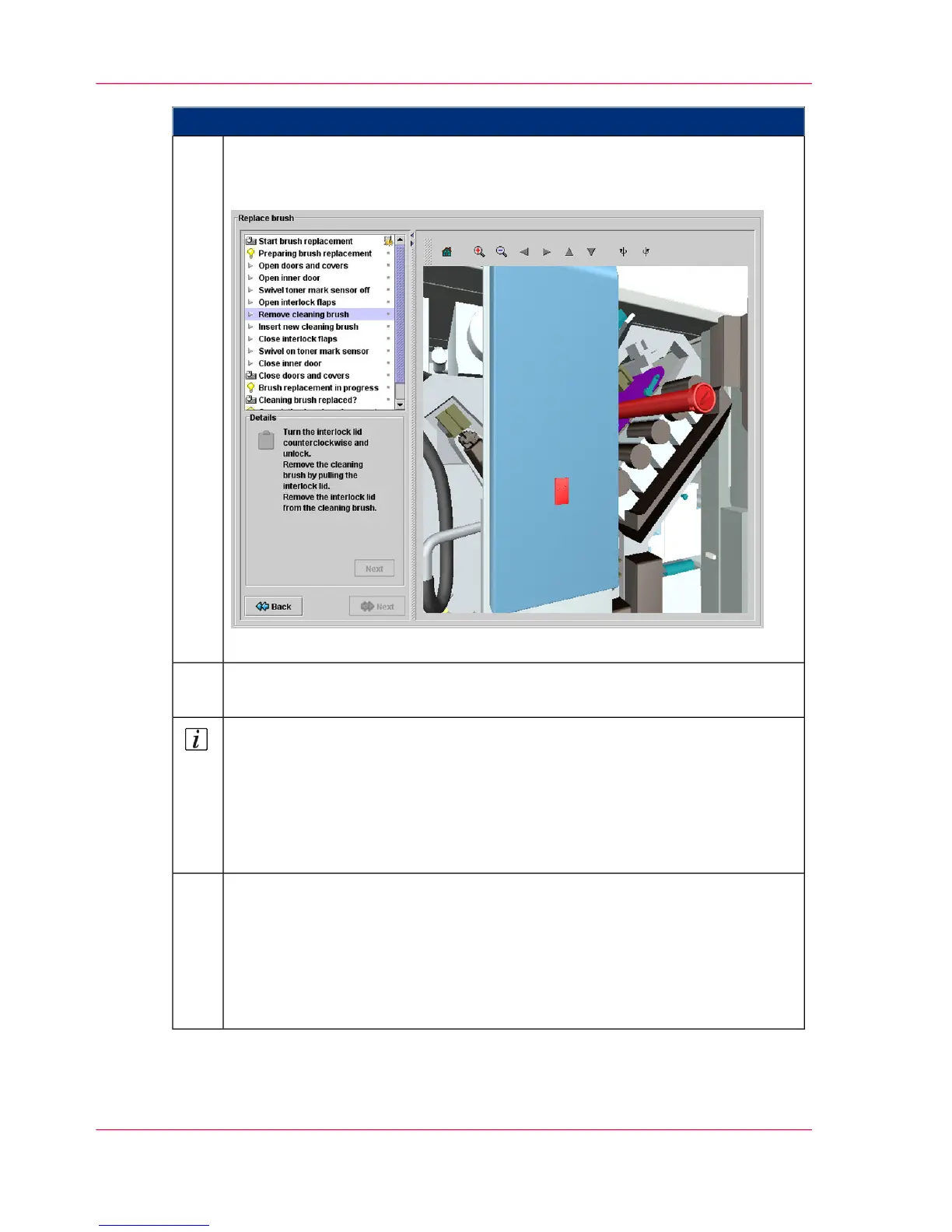
A new menu window opens, in which all necessary work steps are displayed
in the correct sequence, e.g.
If necessary, you can return to the selection page via the 'Back' button.
3.
Perform all the displayed steps in the given order.
The work steps are described in more detail under 'Details'.
4.
Note
You can find additional help on each replacement procedure:
■
in the user guide
■
or directly on the operator panel; via the context-sensitive direct help. You
can call up the context-sensitive direct help by selecting the corresponding
menu and then pressing the F1 key.
Complete the replacement procedure. As a result, the following will occur au-
tomatically:
■
The message on the operator panel is deleted
■
The consumable/expendable replacement is logged in the 'Consumable
history' menu
■
The counter in the 'Consumable counter' menu is reset.
5.
Chapter 5 - Working with the Operator Panel136
Editing 'Replace consumables' menus on the operator panel



 To Next Page