Proceed as follows:
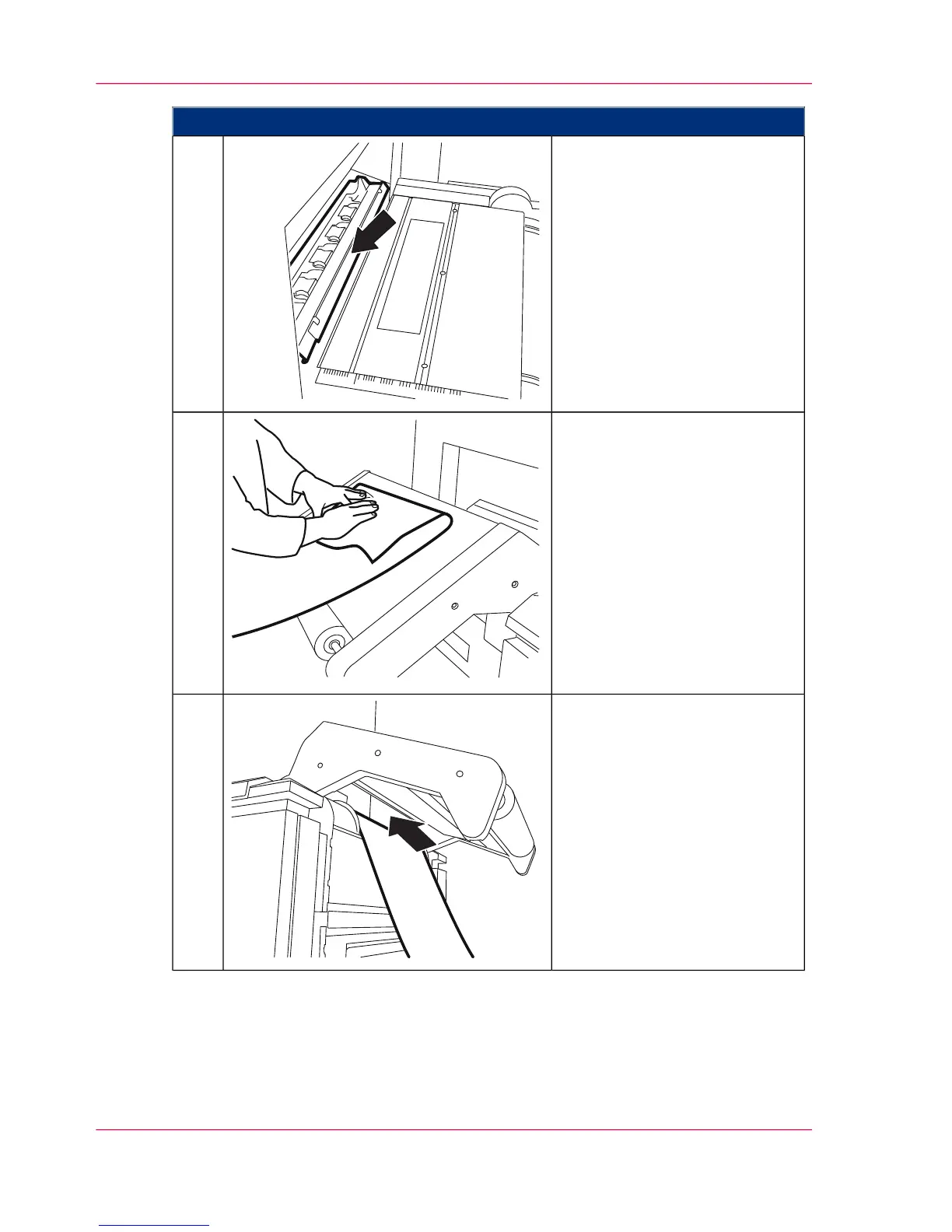
Press the clamp opener.
This will retract the clamp
rollers.
2.
Ensure that the paper edge is
straight and at right angles. Do
this by bending a section of the
paper web upwards and folding
it so that the side edges are
aligned.
Only for heavy paper (that can-
not be held by the clamp with a
fold): Cut off the additional pa-
per web along the fold edge so
that the crease on the fold is
completely removed.
3.
Move the start of the paper web
under the rocker.
4.
Chapter 6 - Operating the Printing System144
Inserting the Paper Web



 To Next Page