Proceed as follows:
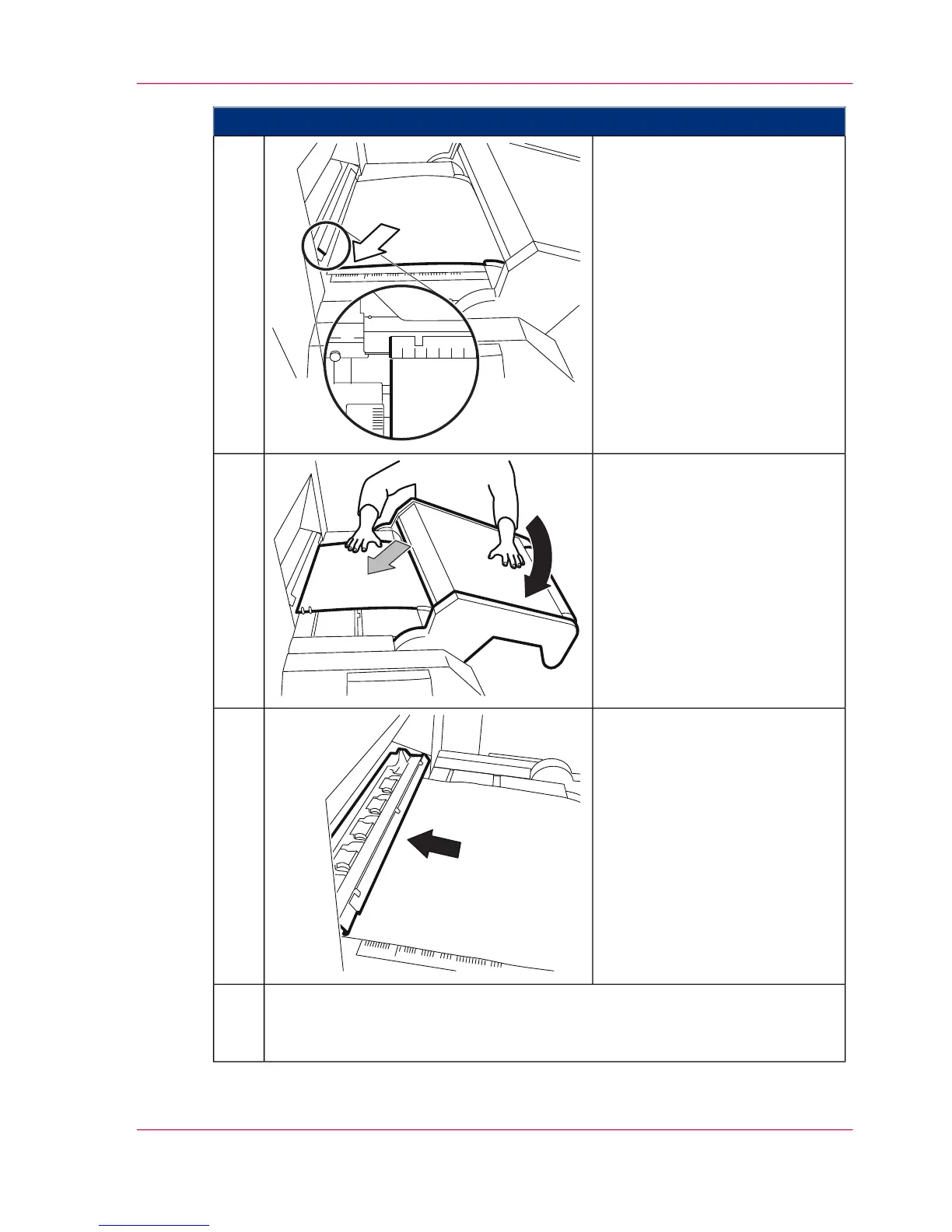
Align the paper web on the left
side to the "0" mark of the ruler
on the clamp opener.
5.
Close the rocker. Hold on to the
paper web while doing this to
prevent it sliding sideways.
6.
Press the clamp opener and push
the paper web into the autofeed
clamp to the stop point.
7.
Lightly pull back on the paper web to ensure that it is securely held by all five
clamp modules (visual check). If not, press the clamp opener and push the
paper web back to the stop point again.
8.
Chapter 6 - Operating the Printing System 145
Inserting the Paper Web



 To Next Page