Proceed as follows:
Caution
The flap of the paper output opens automatically.
Do not stand directly in front of the flap.
#
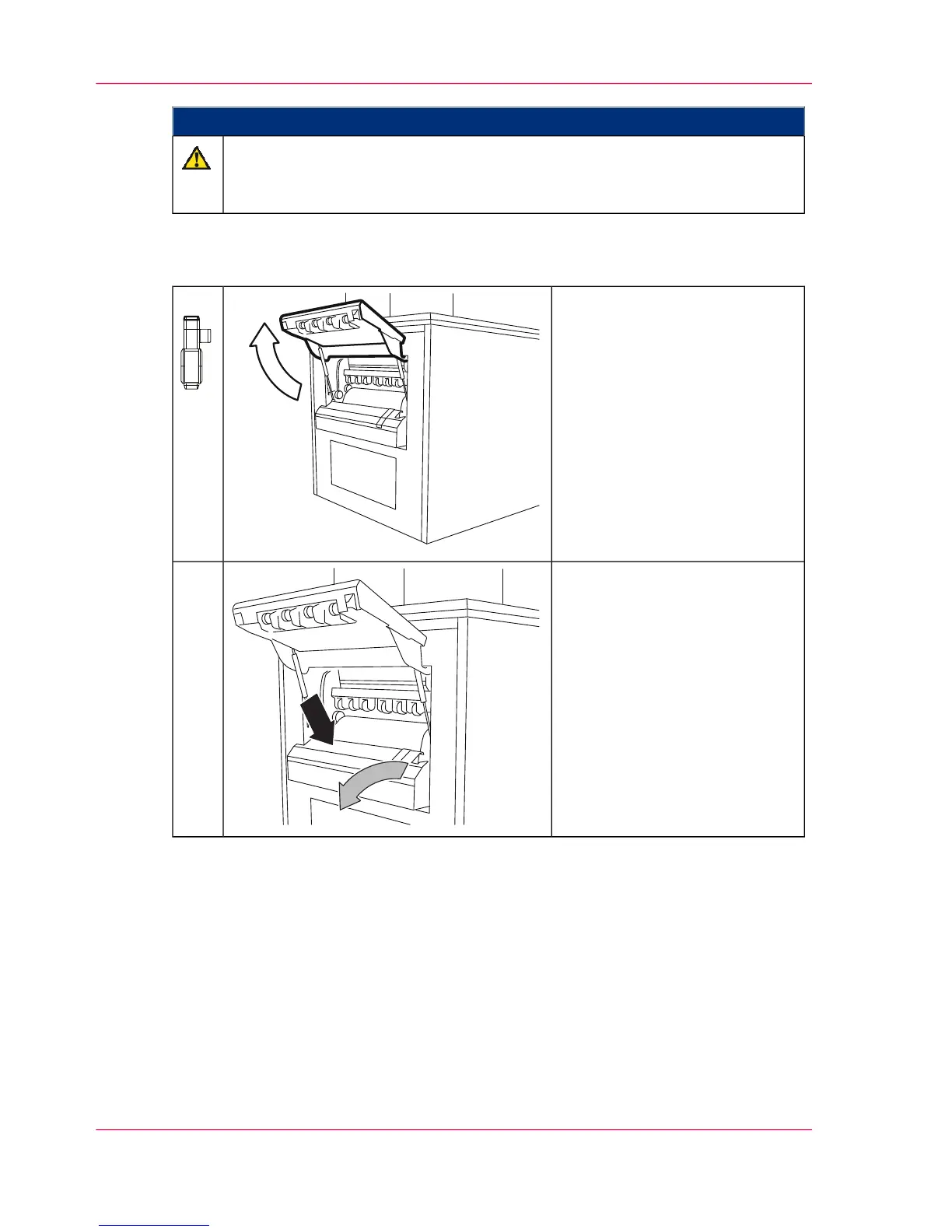
Press the 'Autofeed' key on the
additional operator panel.
The autofeed clamp moves to
the park position at the paper
output together with the paper
web in approx. 20 seconds. The
flap then opens automatically.
9.
Press the clamp opener into the
autofeed clamp; remove the pa-
per web and place outside ma-
chine.
10.
Chapter 6 - Operating the Printing System146
Inserting the Paper Web



 To Next Page