To Install the Developer Station
#
Proceed as follows:
Push the maintenance cart in
front of the print module.
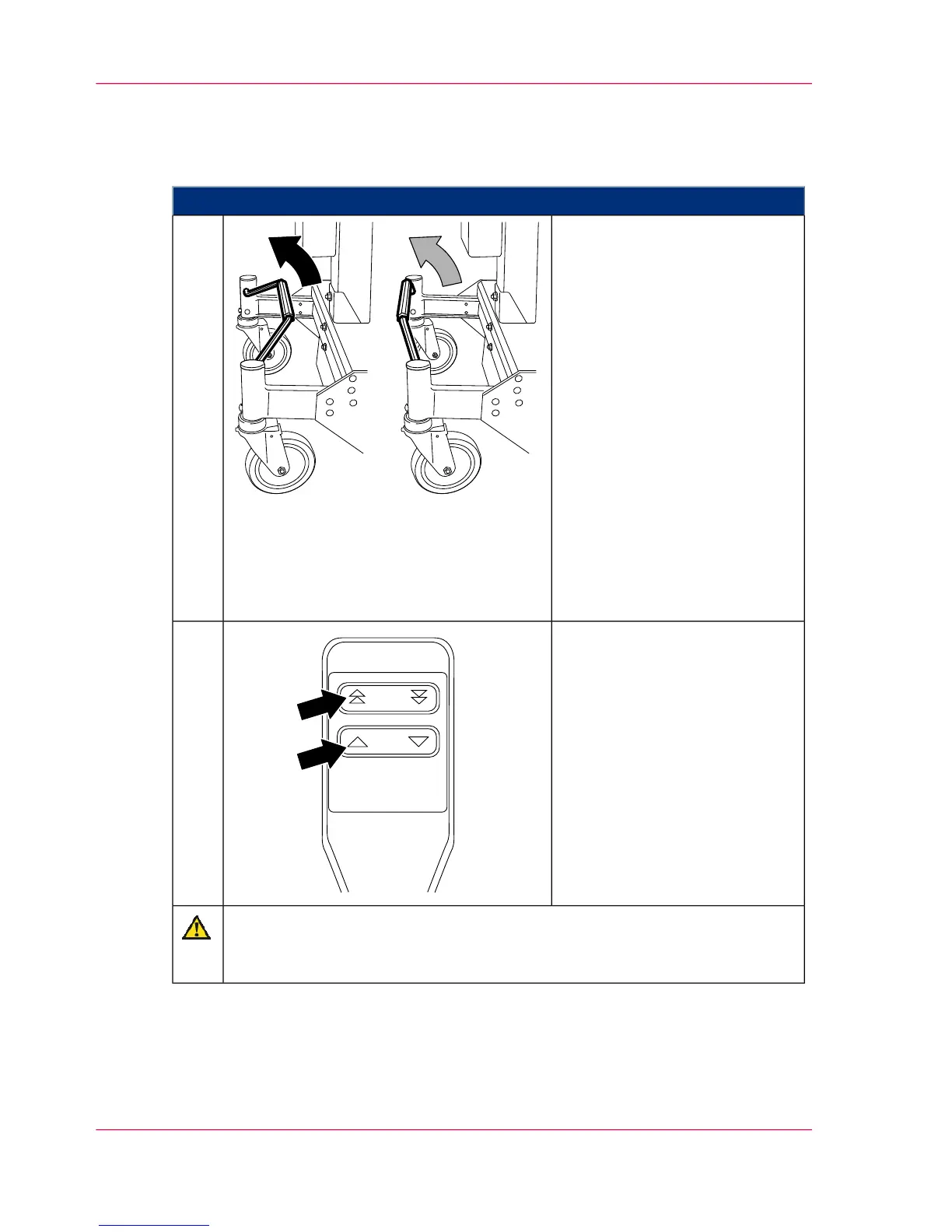
■
To move a developer station
over a shorter section, move
the brake bracket to the cen-
ter position.
This means all four wheels
are free and the lift can be
freely moved.
■
To move a developer station
over a longer section, move
the brake bracket to the top
position.
This locks the rear left wheel
and the lift can only be
moved straight (forwards or
backwards).
1.
Align the maintenance cart at a
right angle to the print module
and move the hoisting lift of the
maintenance cart to the height
of the developer station.
2.
Caution
Observe height and alignment of the hoisting lift
The hoisting lift mandrel must be carefully inserted up to the stop point.
Chapter 6 - Operating the Printing System190
Installing the developer station



 To Next Page