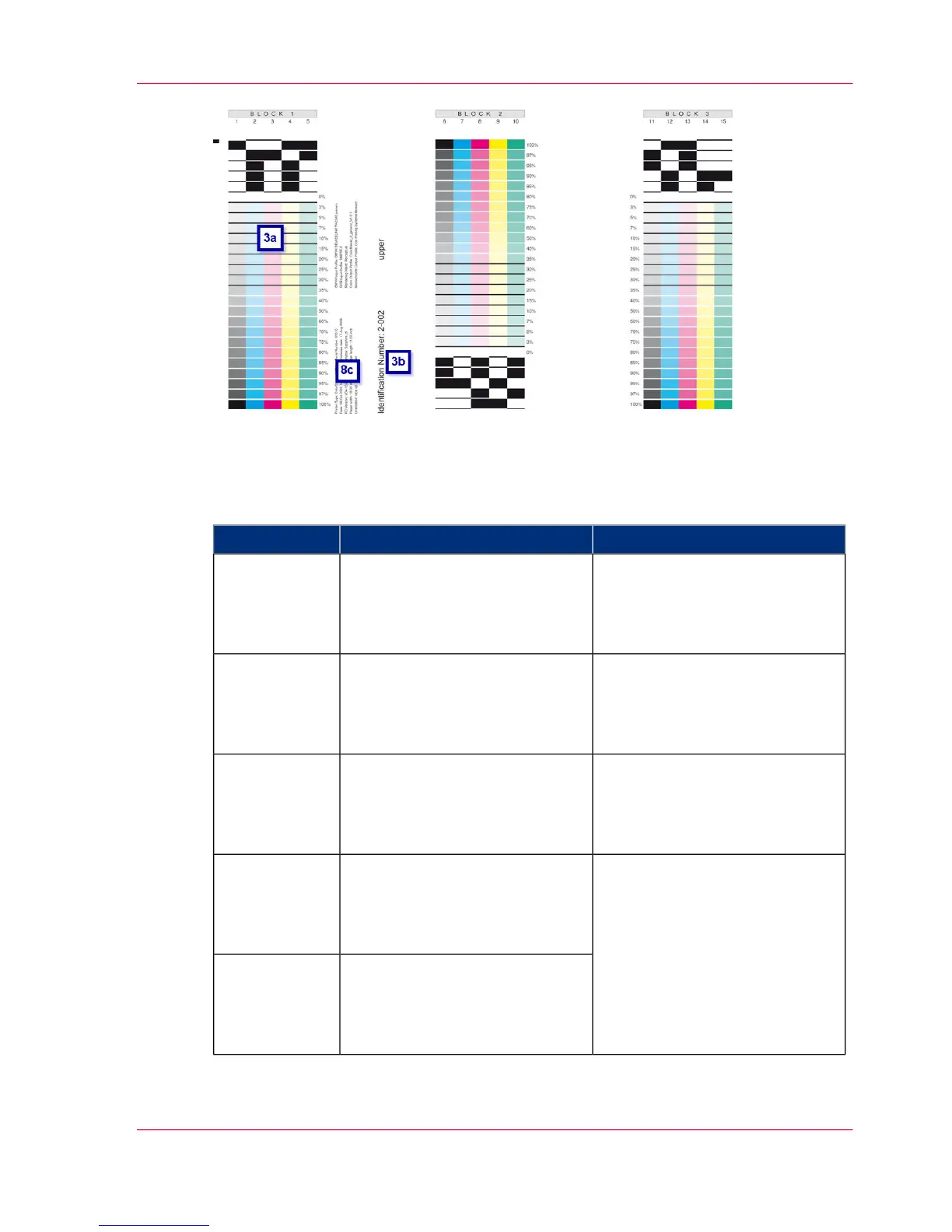
Description
#
Settings on operator panelDescriptionTest sequence
'Configuration' -> 'Color' ->
'Contrast' menu
Optical density: Designation of
full tone coloration on the full
tone bar at right angles to the
print orientation.
1
'Configuration' -> 'Color' ->
'Contrast' -> 'Fine adjustment'
menu
Determination of detail accuracy
or character thickness by means
of lines and text in different
sizes.
2
'Configuration' -> 'Color' ->
'Raster' menu
'Configuration' -> 'Color' ->
'Tone transfer curve' menu
Designation of tone transfer
curve on 8-bit halftone wedge
presentation (100% to 0%).
3
'Configuration' -> 'Color' ->
'Calibrate color' menu
Test blocks with coded test strips
for each color. These test strips
can be scanned and evaluated for
the color calibration.
3a
A unique three-digit 'Identifica-
tion number' is printed for each
'5C_PrintQualityInspec-
tion.600' test print job.
3b
Chapter 6 - Operating the Printing System 205
'5C_PrintQualityInspection.600' Test Print Job



 To Next Page