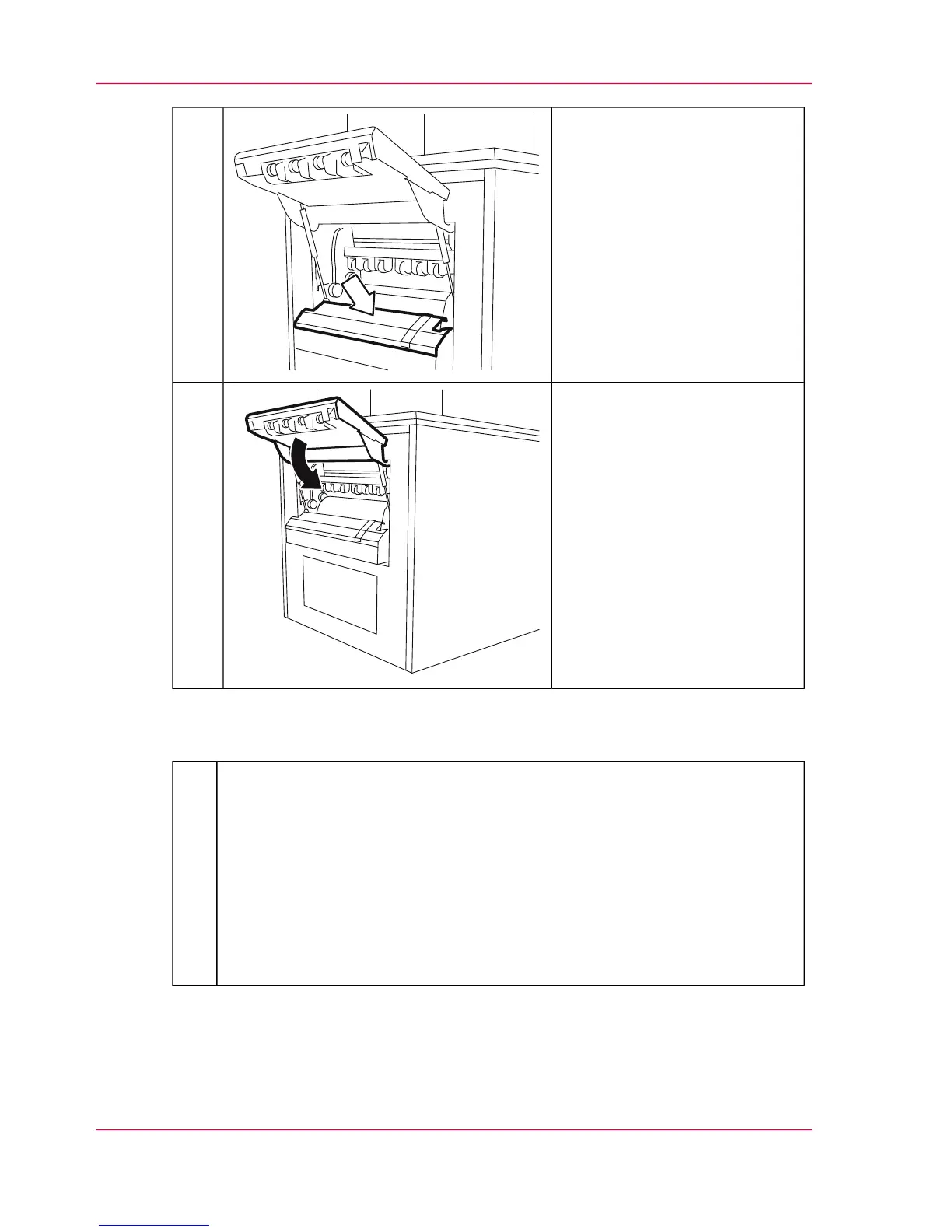
Vacuum paper web and paper
guide plates.
5.
Close paper output flap.6.
#
Complete cleaning the paper output on the operator panel:
■
To carry out further maintenance work directly afterwards, click the 'OK'
button.
The printing system remains in the 'Special functions' status.
■
To complete all maintenance work, click the 'Ready' button.
All printing system assemblies are checked (duration around two minutes),
before the printing system is switched to the 'Stop' status.
To switch the printing system to the 'Ready' status, click the 'Ready' button
again.
7.
Chapter 7 - Cleaning the Printing System288
Cleaning the Paper Output



 To Next Page