Proceed as follows:
Open all doors on the printing system:
■
‘Opening Right Doors’ on page 157.
■
‘Opening Left Doors’ on page 161.
4.
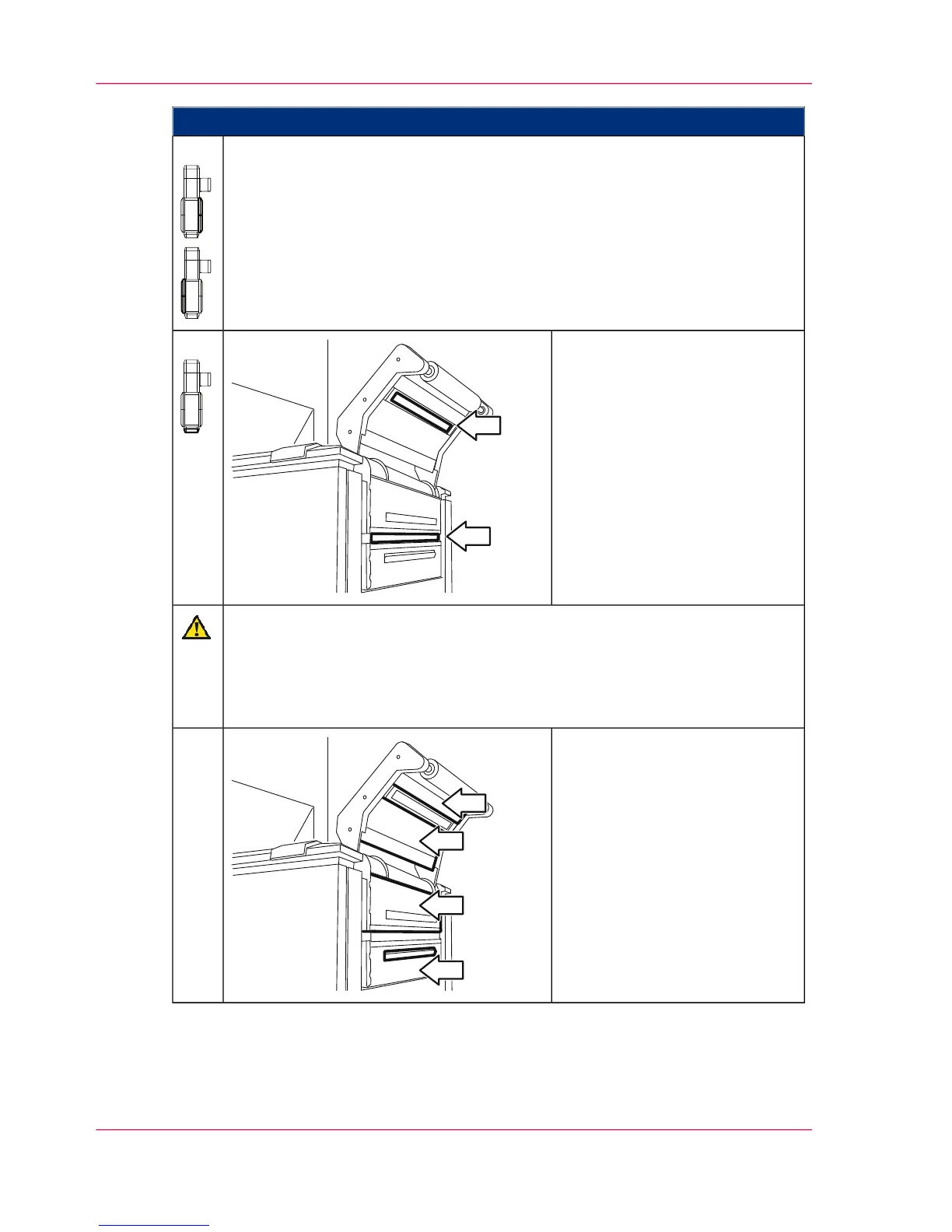
At the paper input:
Carefully clean the paper width
sensor on both sides with a dry
cloth.
5.
Caution
There can be a high build-up of static charge when vacuuming the toner spill.
Always use an industrial vacuum cleaner with a grounded suction tube, rubber
nozzle and filter set for fine dust. For larger toner quantities, the industrial
vacuum cleaner must be explosion-proof.
Clean the following with a vacu-
um cleaner and dry cloth:
■
Paper web tensioner and
plate opposite the paper web
tensioner
■
Paper guide plates (including
all joints, edges and ventila-
tion holes)
6.
Chapter 7 - Cleaning the Printing System290
Cleaning the Paper Path



 To Next Page