Proceed as follows:
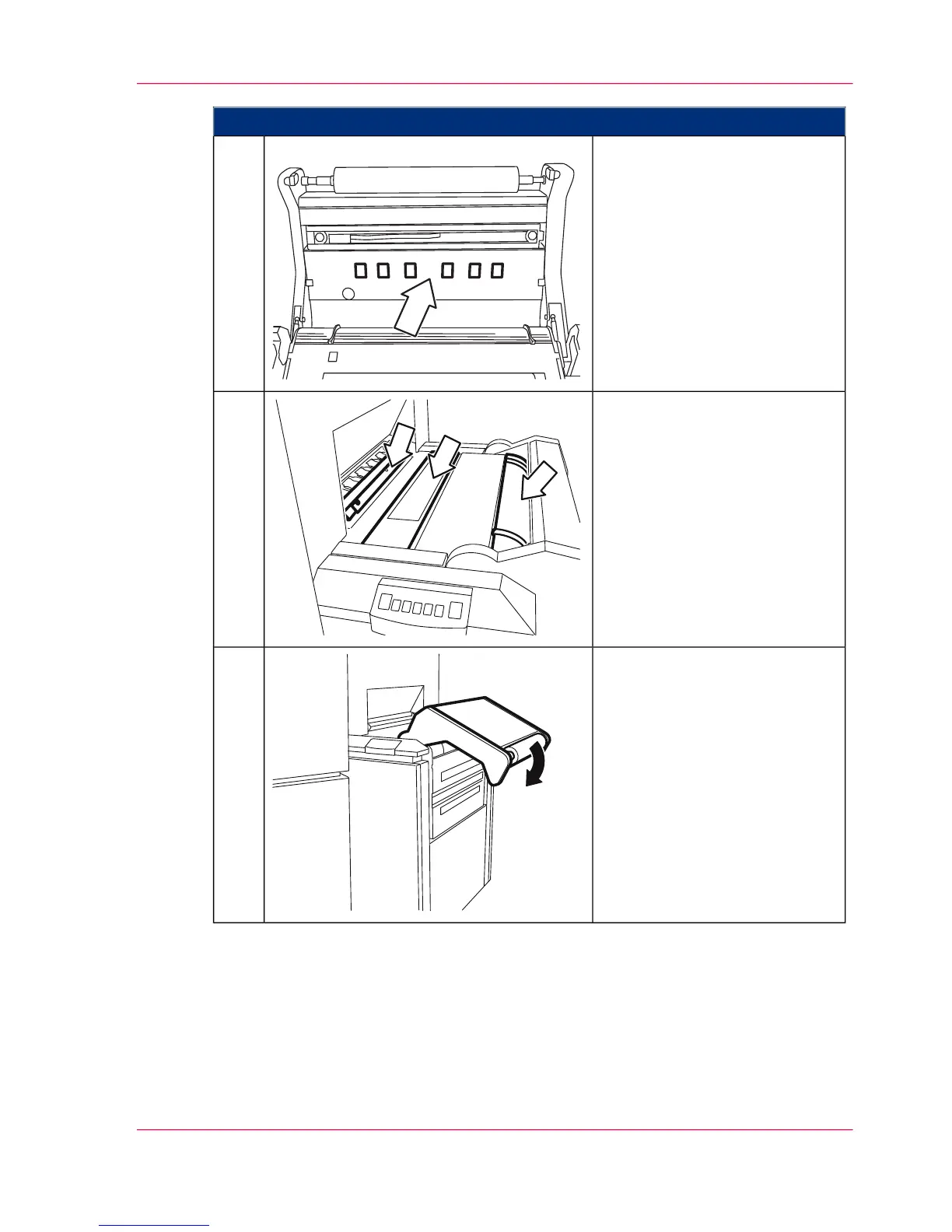
Clean the following with a vacu-
um cleaner and dry cloth:
■
Reject roller
■
Pressure rollers
(turn the rollers to ensure
complete cleaning)
7.
Clean the following with a vacu-
um cleaner and dry cloth:
■
Unclamp plate for the aut-
ofeed clamp
■
Paper brake
■
Pre-centering
8.
Push the paper input rocker
down until it latches.
9.
Chapter 7 - Cleaning the Printing System 291
Cleaning the Paper Path



 To Next Page