Proceed as follows:
To drain the developer mixture
from a developer station in the
lower print unit:
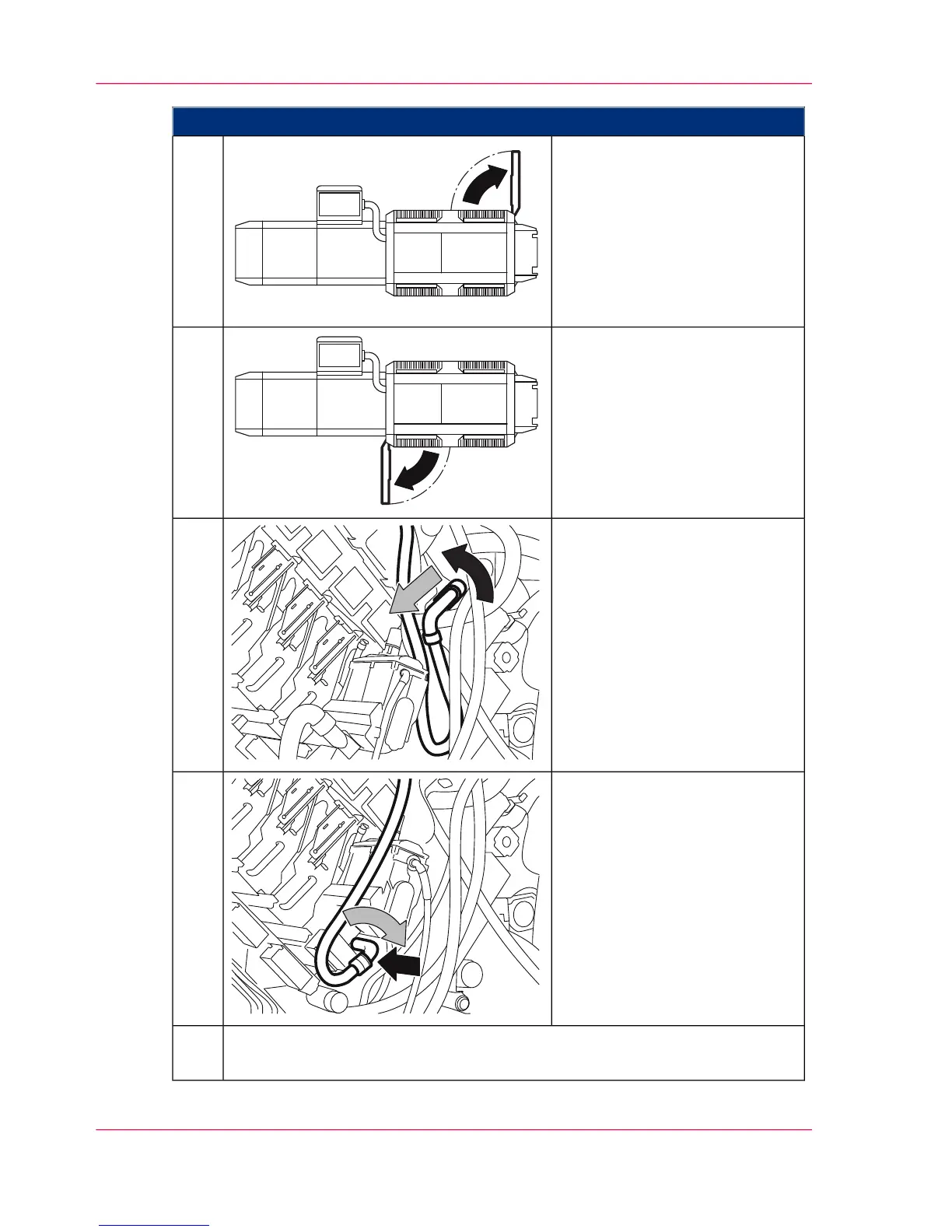
Open the door shown on the
right-hand side of the printing
system.
4.
To drain the developer mixture
from a developer station in the
upper print unit:
Open the door shown on the
left-hand side of the printing
system.
Turn the vacuum hose to the left
and pull it out of the support.
(The following illustrations show
developer station 1 in the upper
print unit. The procedure is the
same for all developer stations.)
5.
Insert the vacuum hose into the
opening below the developer
station and turn it to the right
to lock.
The suction of the developer is
started automatically. After ap-
prox. nine minutes, the suction
stops and the blower keeps run-
ning.
6.
Repeat as needed. To do this, click on the 'Yes' button on the operator panel.
When the developer has been completely removed, click the 'No' button.
7.
Chapter 8 - Replacing Consumables338
Draining the Developer Mixture



 To Next Page