Proceed as follows:
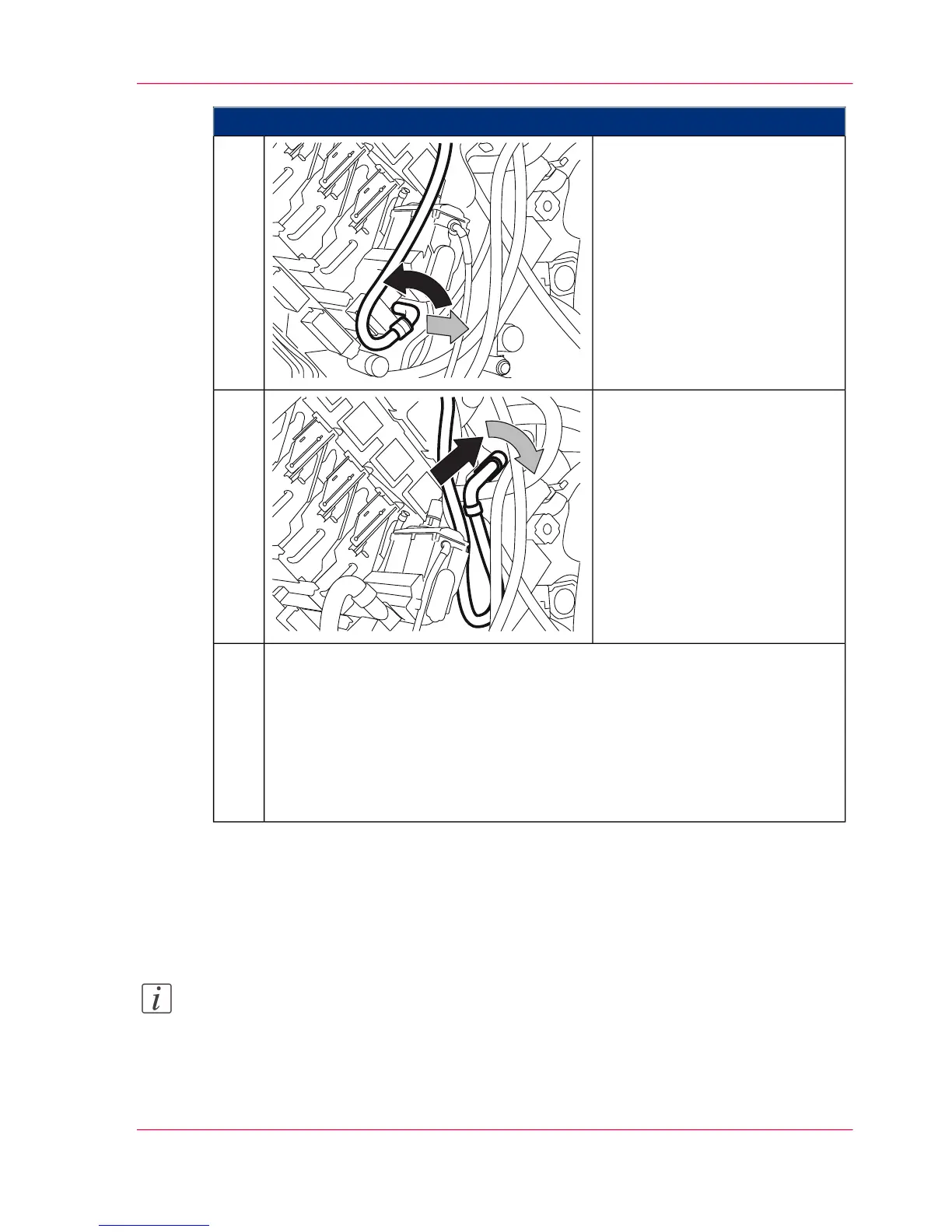
Turn the vacuum hose to the left
and remove it.
8.
Put the vacuum hose back onto
the support and turn it to the
right to lock.
The blower stops automatically.
9.
On the operator panel, select whether the new developer is to be refilled now:
■
Click the 'Yes' button to fill the developer directly afterward.
The printing system remains in the 'Stop' status. The developer can be
filled.
■
To fill the developer later, click the 'No' button.
Close doors. All printing system assemblies are checked (duration approx.
two minutes).
10.
Result
The developer mixture is fully drained. Detailed information on filling the developer is
provided in section ‘Fill in Developer’ on page 340.
Note:
To avoid the waste toner box becoming too heavy, we recommend changing it every
time you drain the developer mixture (see ‘Replace waste toner box’ on page 331).
Chapter 8 - Replacing Consumables 339
Draining the Developer Mixture



 To Next Page