Proceed as follows:
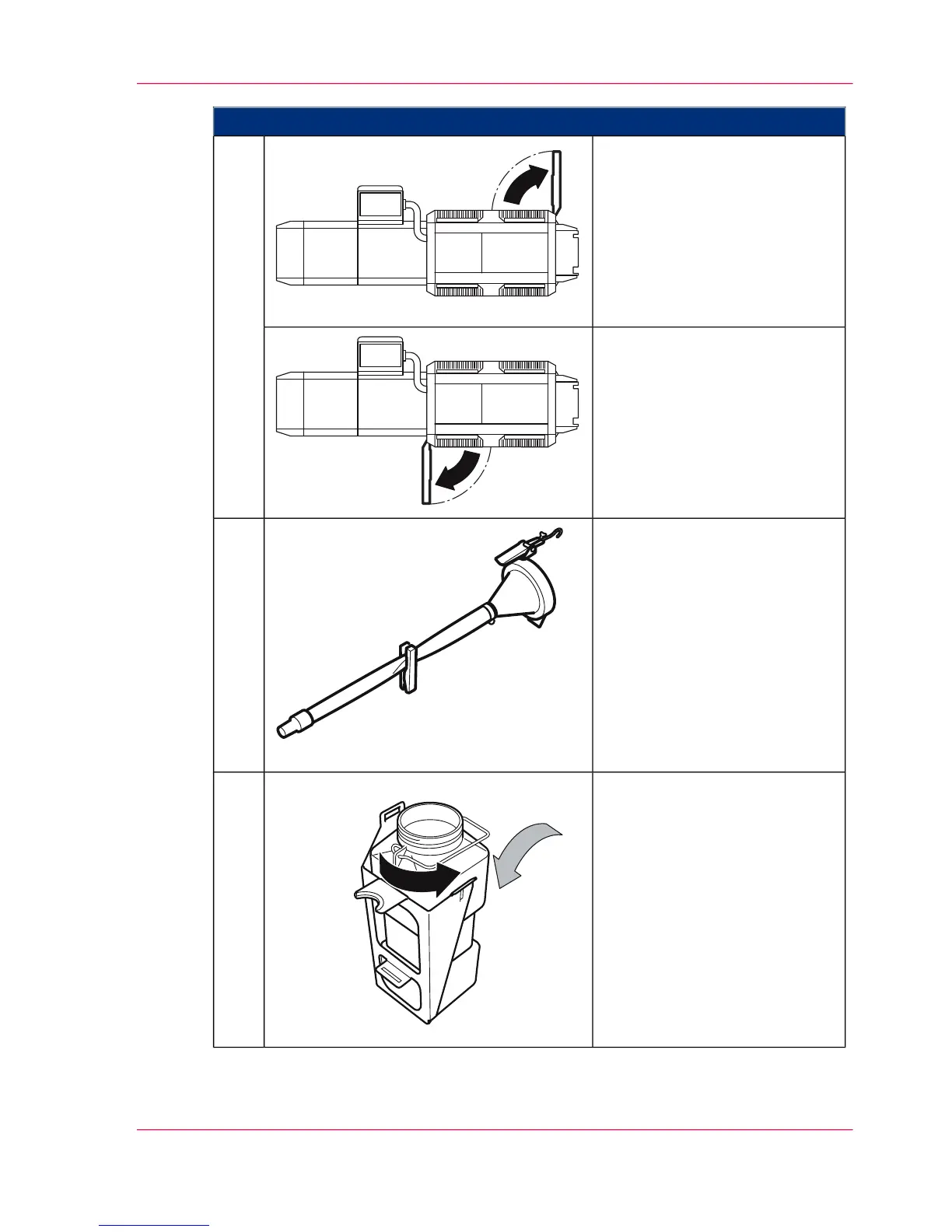
To fill the developer in a develop-
er station in the lower print unit:
Open the door shown on the
right-hand side of the printing
system.
2.
To fill the developer in a develop-
er station in the upper print unit:
Open the door shown on the
left-hand side of the printing
system.
Place filling aid funnel and hose
at the ready.
3.
Remove the lid of the developer
bottle and put the developer
bottle into the filling aid insert.
4.
Chapter 8 - Replacing Consumables 341
Fill in Developer



 To Next Page