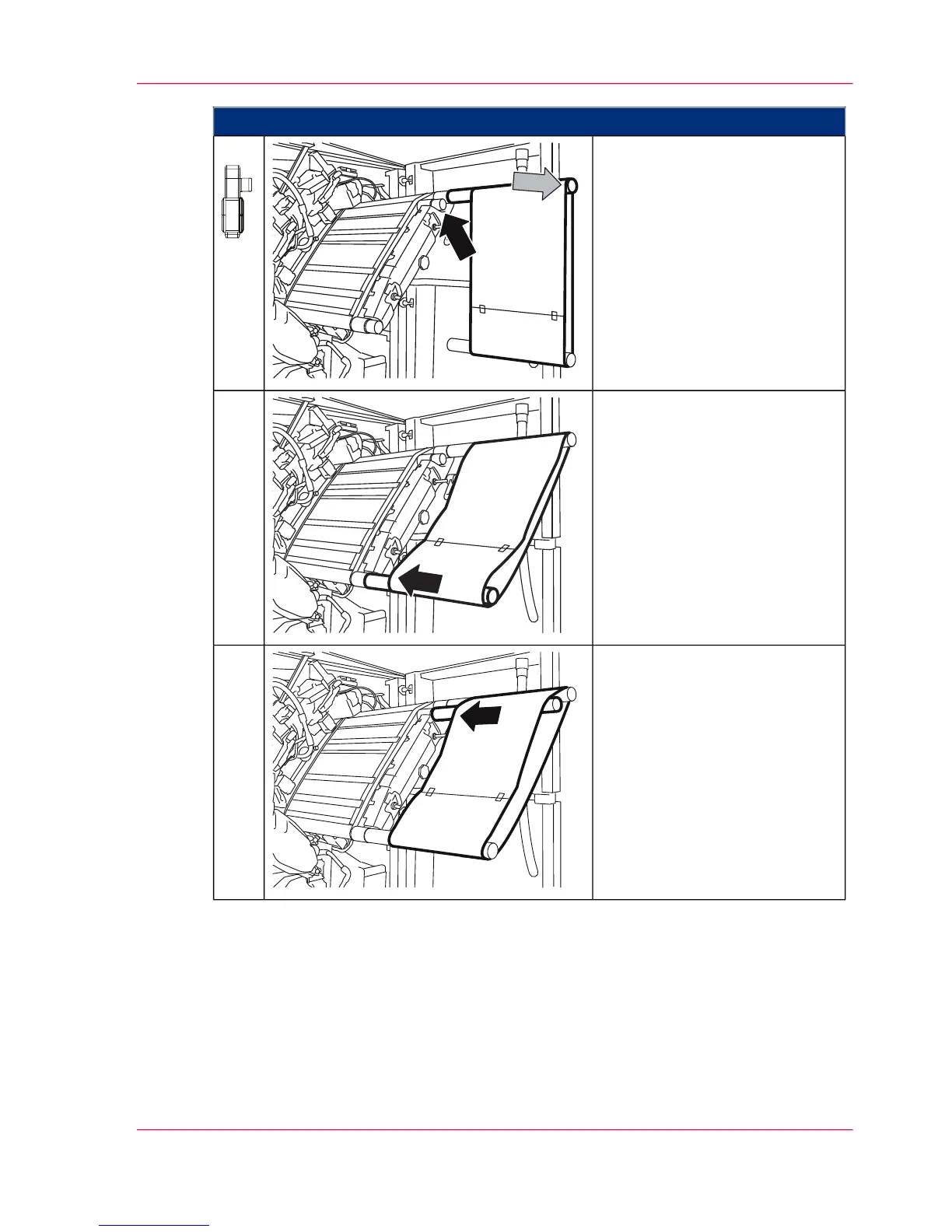
Proceed as follows:
On the right-hand side of the
printing system:
Slip the green tube with the
photoconductor belt onto the
photoconductor unit at the posi-
tion marked in green.
Then pull the photoconductor
belt forwards to the edge of the
tube so that there are no creases.
3.
Slip the red tube onto the photo-
conductor unit at the lower red
point.
4.
Take the empty red tube out of
the packaging and slip it onto
the photoconductor unit at the
second red point.
5.
Chapter 9 - Replacing Expendables 359
Insert a photoconductor belt in the upper print unit



 To Next Page