Proceed as follows:
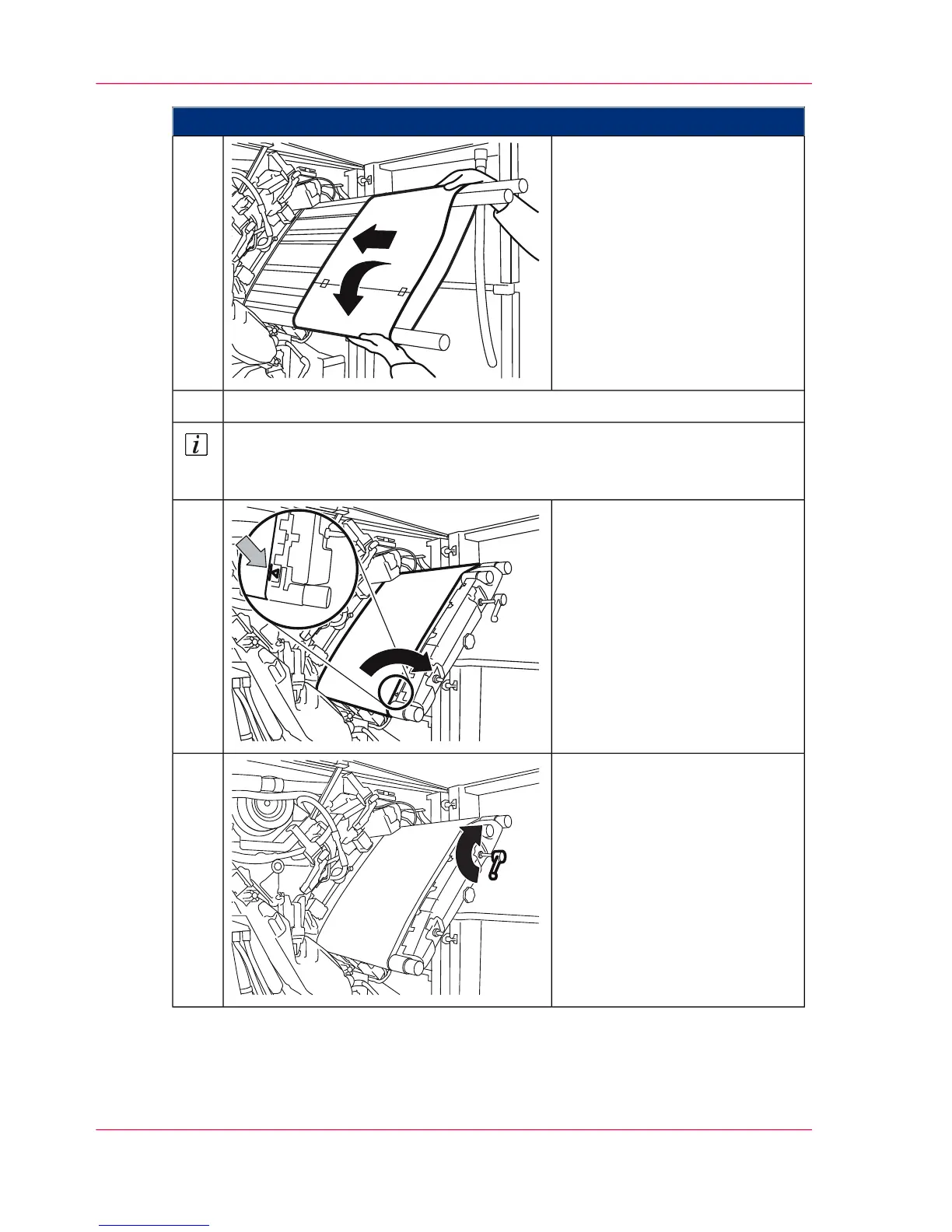
Slide the photoconductor belt
evenly and carefully onto the
photoconductor unit. Carefully
rotate the photoconductor belt
on insertion.
6.
Remove all three tubes from the photoconductor unit.7.
Note
Keep the tubes. You can use them to insert a used but undamaged photocon-
ductor belt at a later date if necessary.
Remove the protective paper
from the photoconductor belt
and move the photoconductor
belt in such a way that the edge
of the photoconductor belt is at
the tip of the arrow within the
1 mm (0.39") wide marking.
The gloves are no longer re-
quired.
8.
Turn the belt tensioner by 180°
in the direction of the arrow to
the stop point to tighten the
photoconductor belt.
9.
Chapter 9 - Replacing Expendables360
Insert a photoconductor belt in the upper print unit



 To Next Page