Proceed as follows:
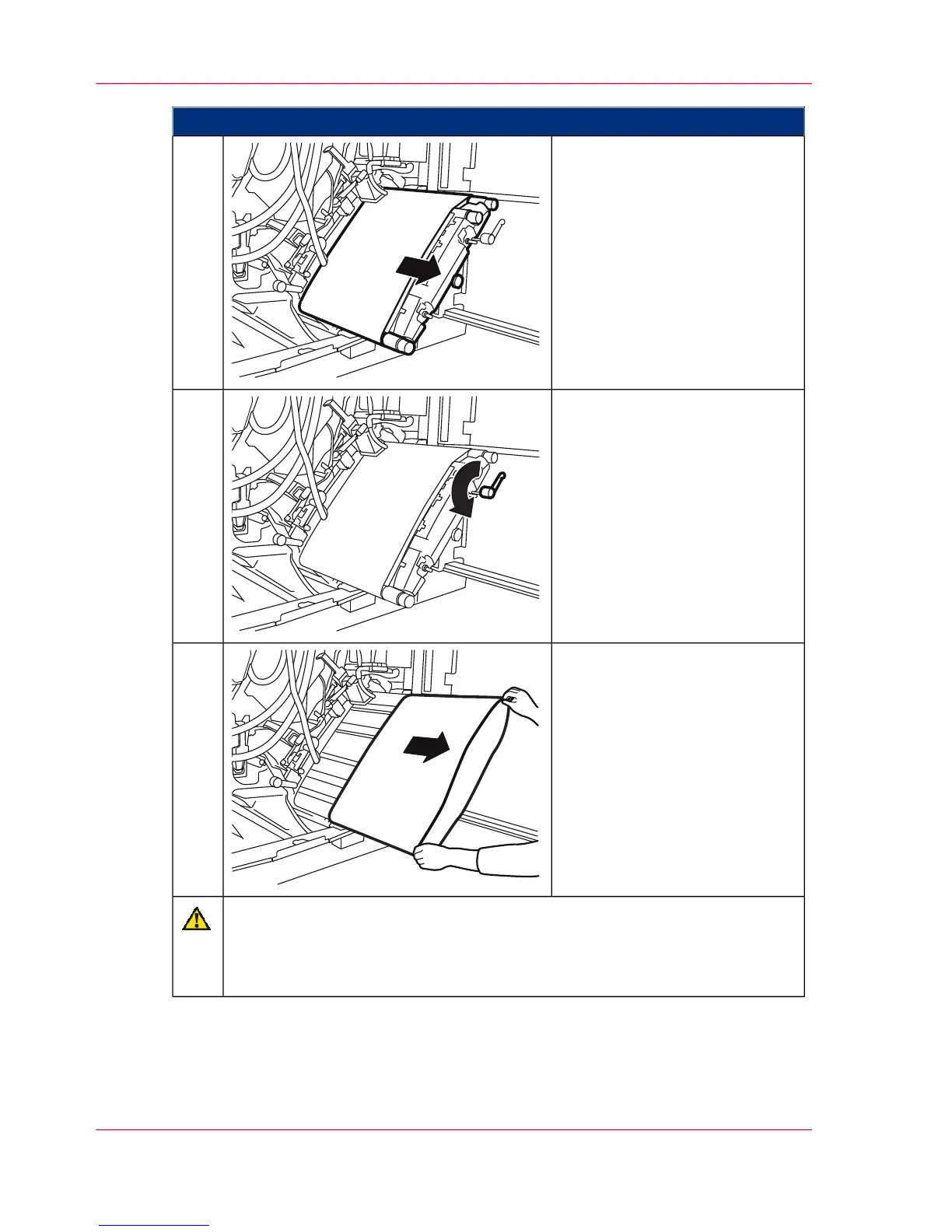
Pull the rotating handle until the
photoconductor unit is pulled
out and engages on both sides.
14.
Turn the belt tensioner by 180°
in the direction of the arrow to
the stop point to slacken the
photoconductor belt.
15.
Carefully remove the photocon-
ductor belt from the photocon-
ductor unit and put it aside.
16.
Caution
Do not use solvents for cleaning.
The cleaning cloth must be damp (preferably with lukewarm water) and lint
and chemical-free.
Chapter 9 - Replacing Expendables368
Removing Photoconductor Belt in Lower Print Unit and Replacing Photoconductor Blade.



 To Next Page