Proceed as follows:
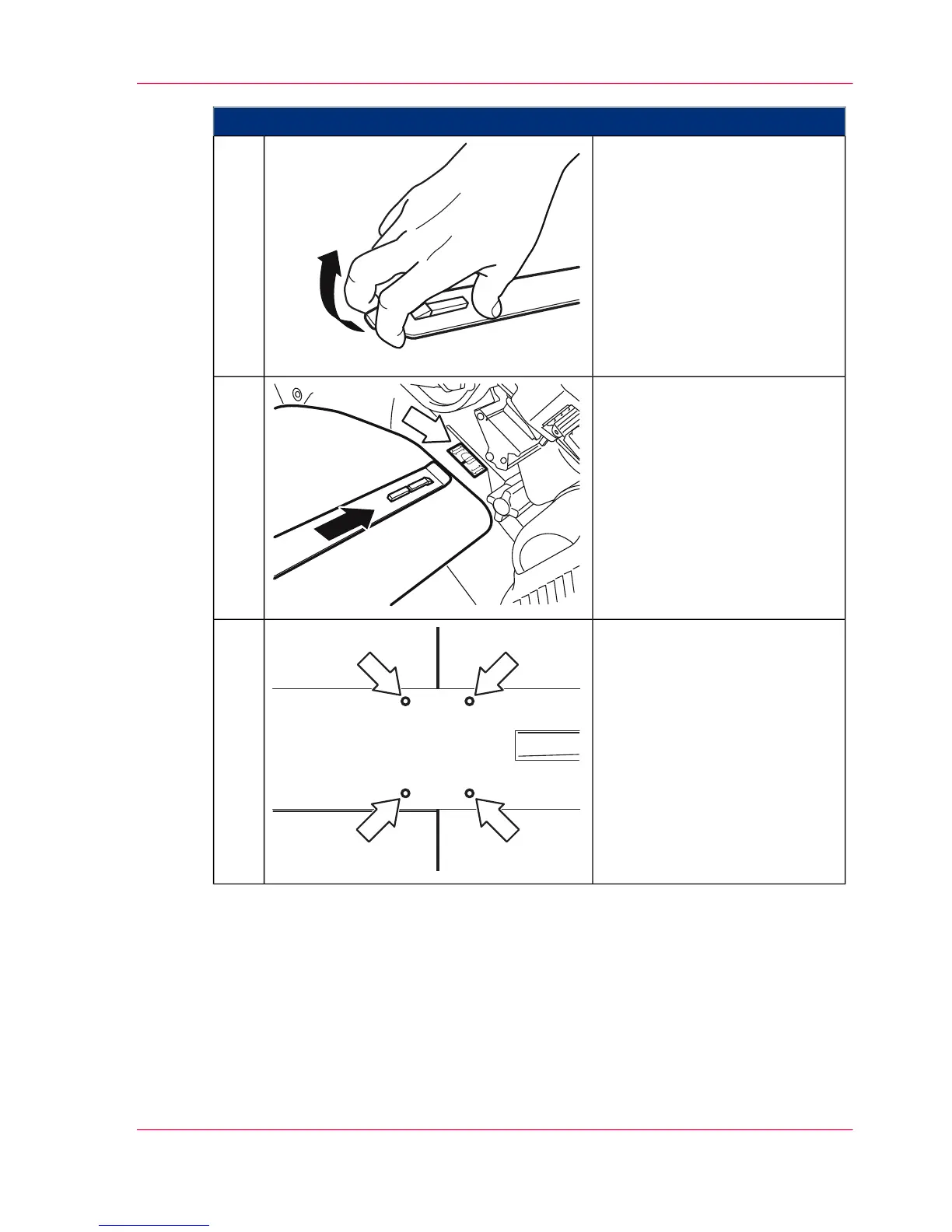
Open the insertion tool.4.
Guide the insertion tool with the
sliding foil into the area of the
mark (white arrow). At the same
time, push the sliding foil careful-
ly between the transfer belt and
cover.
5.
Close the insertion tool and in-
sert it until the edge of the
transfer belt is between the four
embossing marks.
6.
Chapter 9 - Replacing Expendables 381
Removing Transfer Belt in the Upper Print Unit



 To Next Page