Software Version C
- 93 -
optek-converter C4101 Version 07.2009_1.2US, 23.07.2009
www.optek.com
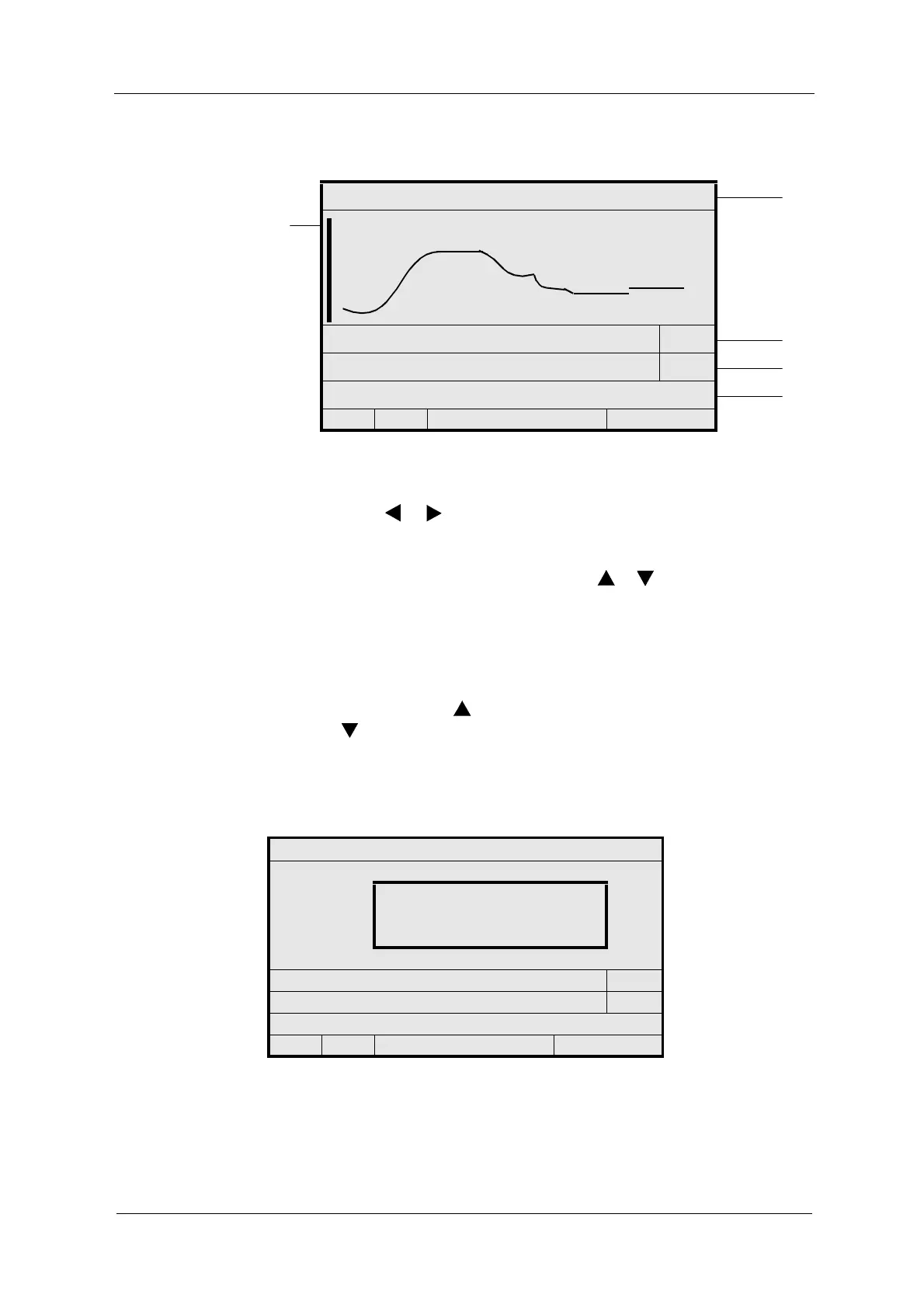
Fig. 90 Data logger display
• To move the display in its current resolution by half of its width, press
arrow key or below the display. For example, a display of 7,200 X
resolution is moved by 3,600 time intervals, corresponding to one hour at
an interval of 01 SEC.
• To adjust the resolution, press arrow key
or .
You can vary the resolution between 60 X, 720 X, and 7,200 X time
intervals. When increasing the resolution, the enlarged part always
referring to the center of the current display opens. It may be necessary
to "flip pages" at the increased resolution to display the desired part.
• To enable the zoom function, set the resolution to 60 X time intervals and
press the arrow key
. To disable the zoom function, press the arrow
key . In the zoom function (see fig. 91) the following is displayed:
• exact measuring result with unit
•date
•time
Fig. 91 Zoom function
P01 - M01
24
28
START 20.05.2006 09:36:00 30 SEC
25
END 20.05.2006 11:23:20 7200 X
26
MEASURING RANGE: 0.00 - 5.00 CU
27
<<<
<
P01
<
>>>
P01 - M01
3.50 CU
20.05.2006
10:48:00
START 20.05.2006 09:36:00 30 SEC
END 20.05.2006 11:23:20 60 X
MEASURING RANGE: 0.00 - 5.00 CU
<<<
<
P01
<
>>>



 To Next Page