ECDIS-E User Guide Charts
65934012 4-25
Layers
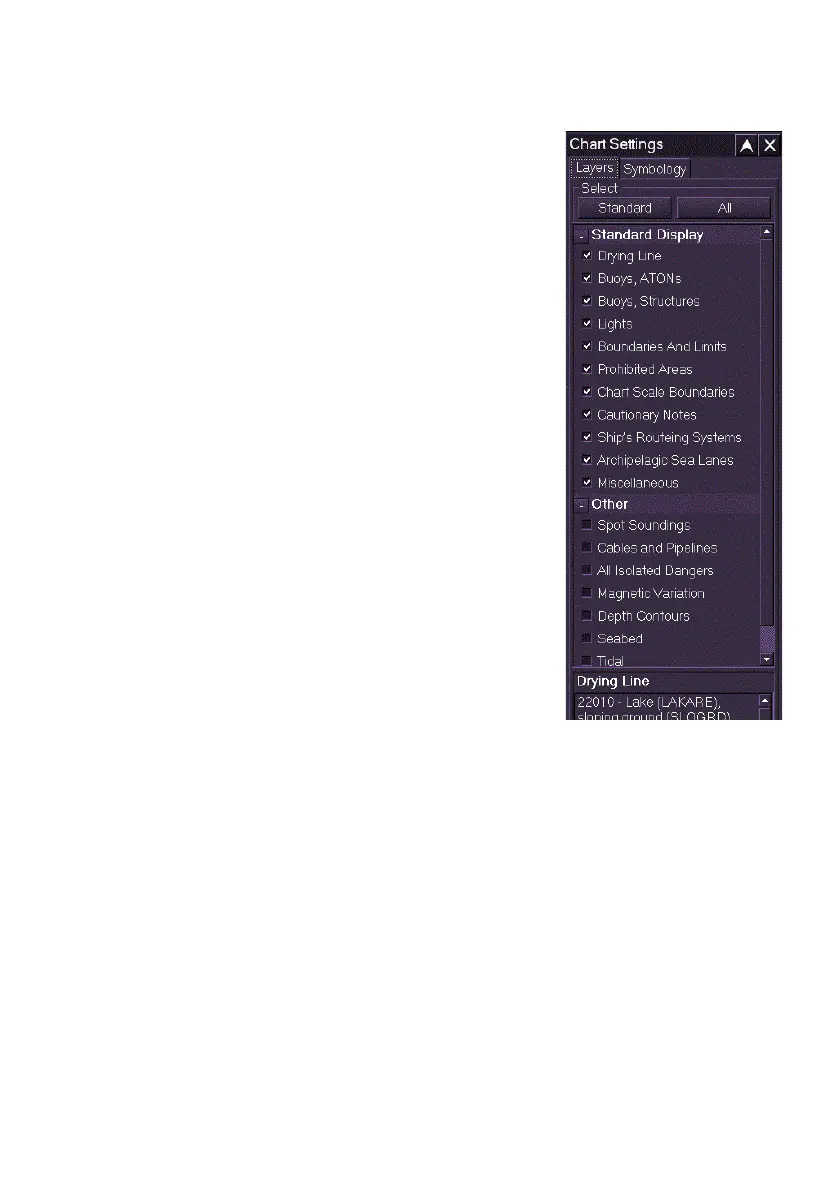
The Layers folder includes two chart setting
selection options: Standard and All.
When the Standard button is clicked all chart
settings listed under the Standard Display are
automatically selected.
When the All button is clicked all the additional
chart settings listed under Other are selected, in
addition to all Standard settings.
To disable individual settings untick the setting’s
check box. Or, to enable additional settings tick
the setting’s check box in the Other list.
Whatever individual settings have been enabled or
disabled, clicking the Standard button will revert to
displaying the Standard default settings only.
Move the cursor over each setting to display a
brief description of the setting at the bottom of the
window.



 To Next Page