Charts ECDIS-E User Guide
4-72 65934012
Chart Dangers
A safety checking feature continuously searches
the chart database and mariner objects
database for objects that could endanger the
safety of own ship. For a description of this
feature, see Safety Checking.
Safety Checking must be configured as an
optional feature in system configuration before
the operator can view chart dangers, see
Chapter 5 `Configuration' in the VisionMaster FT
ECDIS-E Ship's Manual (65934011).
WARNING!
SAFETY CHECKING WILL NOT BE
APPLIED TO AN AREA OF AIO DATA
(FOR INFORMATION ON AIO REFER TO
CHART QUERY ON AIO DATA) NORMAL
SAFETY CHECKING WILL CONTINUE TO
APPLY TO THE ENC CHARTS THAT THE
AIO IS ASSOCIATED WITH.
When safety checking detects a dangerous
object a red flashing Chart Dangers alarm
appears in the Alarm Status Indicator and the
Dangers icon to the right of the Alarm Status
Indicator is displayed with a red background.
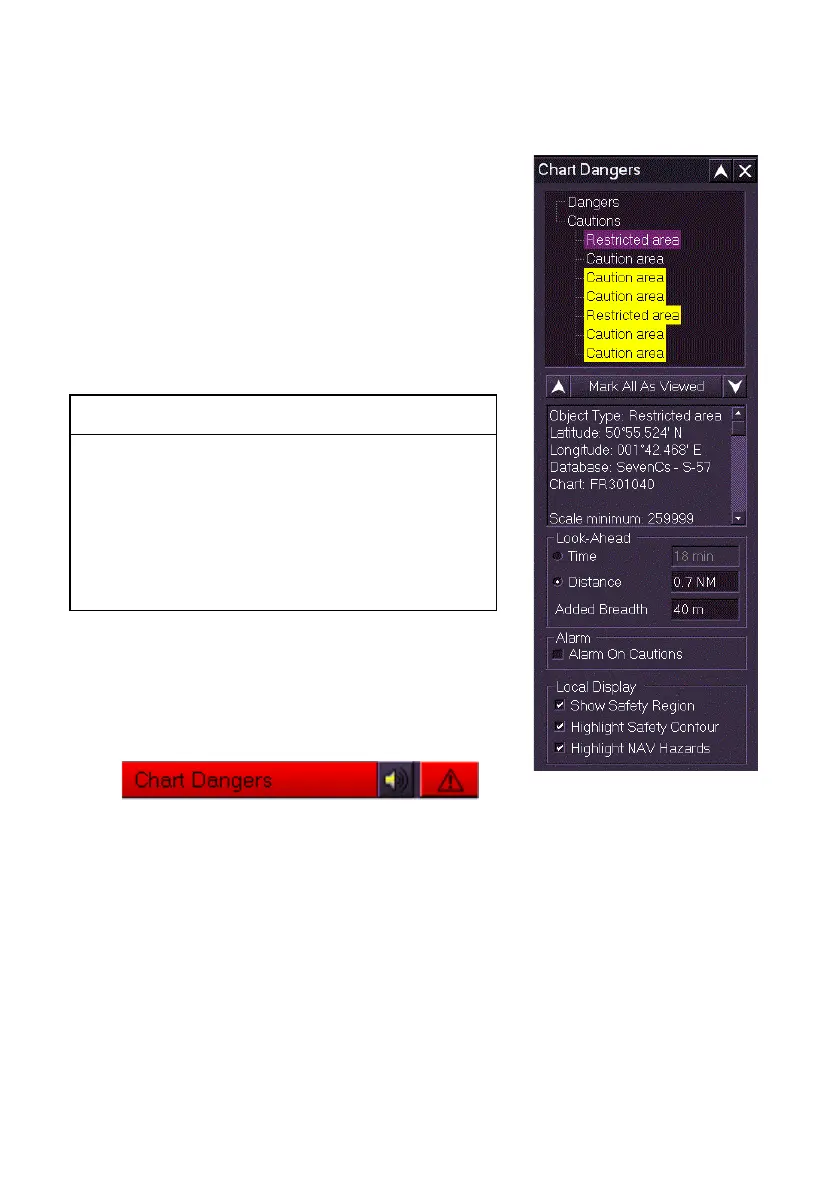
The system divides the dangerous objects into lists of Dangers and
Cautions. Dangers, displayed with a red background, are objects or areas
where the depth may be a risk to safe navigation, and are usually
generated when own ship is in,or approaching, a port. Caution objects or
areas are usually generated to denote vessel traffic or underwater objects
and are displayed with a yellow background. The objects are listed in order
of age, with the most recently to least recently discovered.
Dangerous objects in the list can be viewed in a number of ways, either:
1. Click on the individual items within the list;
2. navigate up and down the list using the up/down arrows.



 To Next Page