Routes ECDIS-E User Guide
8-8 65934012
Deleting a Waypoint
A waypoint's position can be deleted either directly on screen, or in the
Waypoints tab folder, see Edit Route.
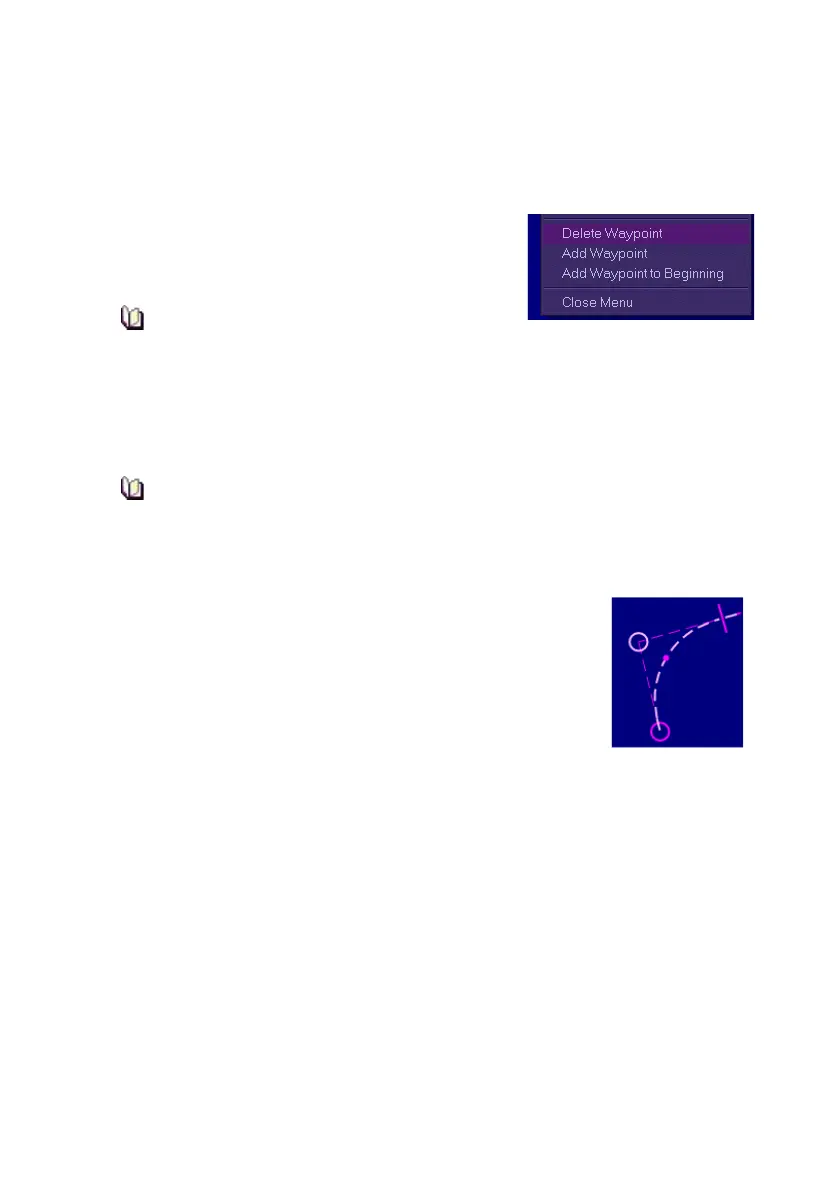
To delete a waypoint from a route, do the following:
1. Right click on the waypoint to be deleted
and select Delete Waypoint from the
semi-transparent window.
When a waypoint is deleted all waypoint
references are adjusted accordingly.
Changing a Waypoint's Turn Radius
A waypoint's turn radius can be manually changed, either on screen or in
the Waypoints tab folder, see Edit Route.
When the turn is created, its turn radius is set to either the
previous turn’s radius, or, if this is the first turn, it is set to the
default radius.
To change a turn radius do the following:
1. Click on the small dot at the centre of the radius.
The cursor changes to a bidirectional arrow
indicator.
2. With the dot highlighted hold down the left key and
use the trackball to drag the radius dot to the
desired position. The route and wheelover lines are
redrawn as the turn radius is changed.
3. The route data shown in the Waypoints tab folder also changes to
reflect the revised co-ordinates. The radius can also be adjusted
numerically, or as a result of numeric adjustment of the turn rate,
see Editing a Route.



 To Next Page