Getting Started with ECDIS-E ECDIS-E User Guide
2-18 65934012
Operator Messages
The system generates messages that appear in order to either confirm an
action to proceed that the operator has requested, for example, when
switching from Transmit to Standby. Or a message to confirm an action that
the system is about to make, for example to acknowledge a change of own
ship's course on a monitored route.
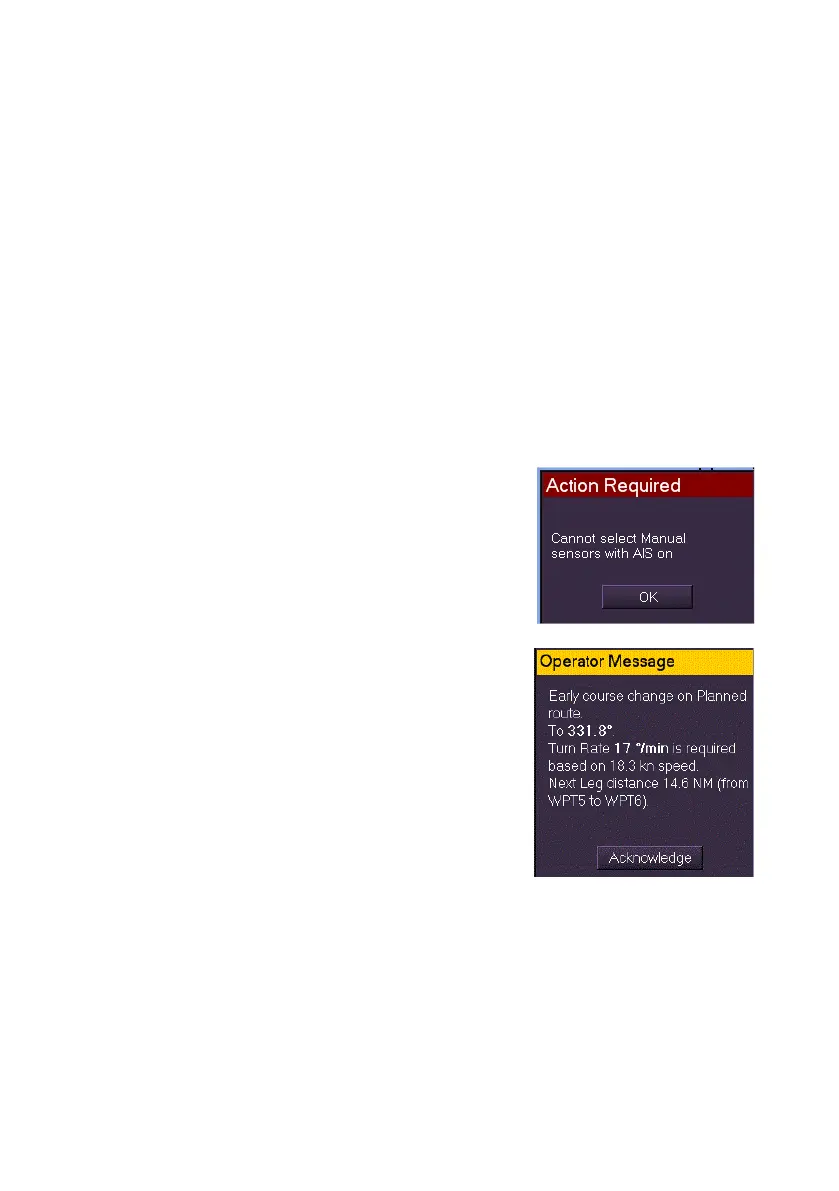
Action Required Messages
If an Action Required message is confirming an operator action the
window will include an OK button and a Cancel button. The action is
confirmed by clicking the OK button, or if the action is to be cancelled the
Cancel button is clicked.
If the action requested by the operator cannot be done, the system displays
the reason for not proceeding with the action and a confirmation (OK)
button.
While an Action Required is active the system
periodically sounds an audible indicator, which
may be muted by the operator, see Alarm Buzzer.
Operator Messages
Operator messages are used to notify the users at
all nodes about course changes on a monitored
route (see Monitor Route ).
When an operator message is displayed, the
buzzer is sounded briefly to alert the operator to
their presence. All Operator Messages include an
Acknowledge button.
If a message is not acknowledged after a period of
30 seconds it is then escalated to an Alert.



 To Next Page