Getting Started with ECDIS-E ECDIS-E User Guide
2-2 65934012
System Startup
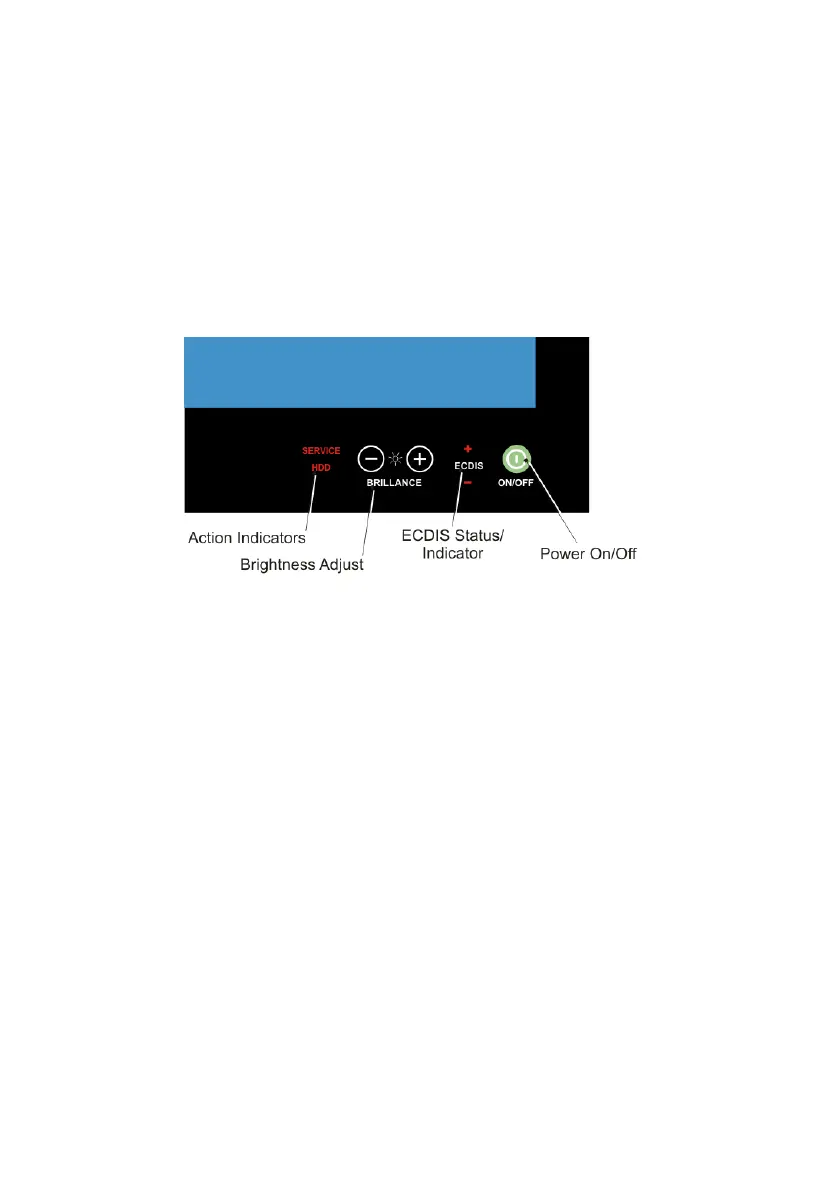
Panel PC Controls
The ECDIS-E panel PC includes the following touch surface controls:
• Brilliance adjustment
• Power On/Off
Note that these controls are only visible (backlight illuminated) when power
is connected to the panel PC.
Power On/Off
The ON/OFF symbol and text will illuminate in red when suitable power is
connected and the unit is turned off. When the unit is on and operating, this
symbol will change to a green colour and illuminate constantly.
To turn the unit on, verify that the On/Off symbol is illuminated in red, touch
the symbol and hold until the symbol is illuminated in green or an image
appears on the screen.
Brilliance Adjustment
Brilliance adjustment of the displayed image is adjusted by touching the (-)
or (+) illuminated symbols.
The text ECDIS will constantly illuminate in green as long as the unit is
powered, providing the unit is calibrated correctly. If the unit is not correctly
calibrated the ECDIS text will illuminate in red. The (+) and (-) symbols will
also illuminate in red when the brightness is adjusted, either above or
below the ECDIS reference calibration level.



 To Next Page