Basic Operation of ECDIS-E ECDIS-E User Guide
3-34 65934012
Centre & Maximum View Options
Centring
If own ship's CCRP has been off centred or panned (see Off
Centre, Pan and Goto), left click on the Centre button to
redraw. The CCRP will be redrawn centred within the TM
limits box, see Setting True Motion Limits. All other chart data and target
positions are also moved in accordance.
The Centre and MAX view actions can be independently applied to a
specified chart display. A secondary display (see ECDIS Presentation
Options) will include its own Centre and MAX view controls.
Maximum View
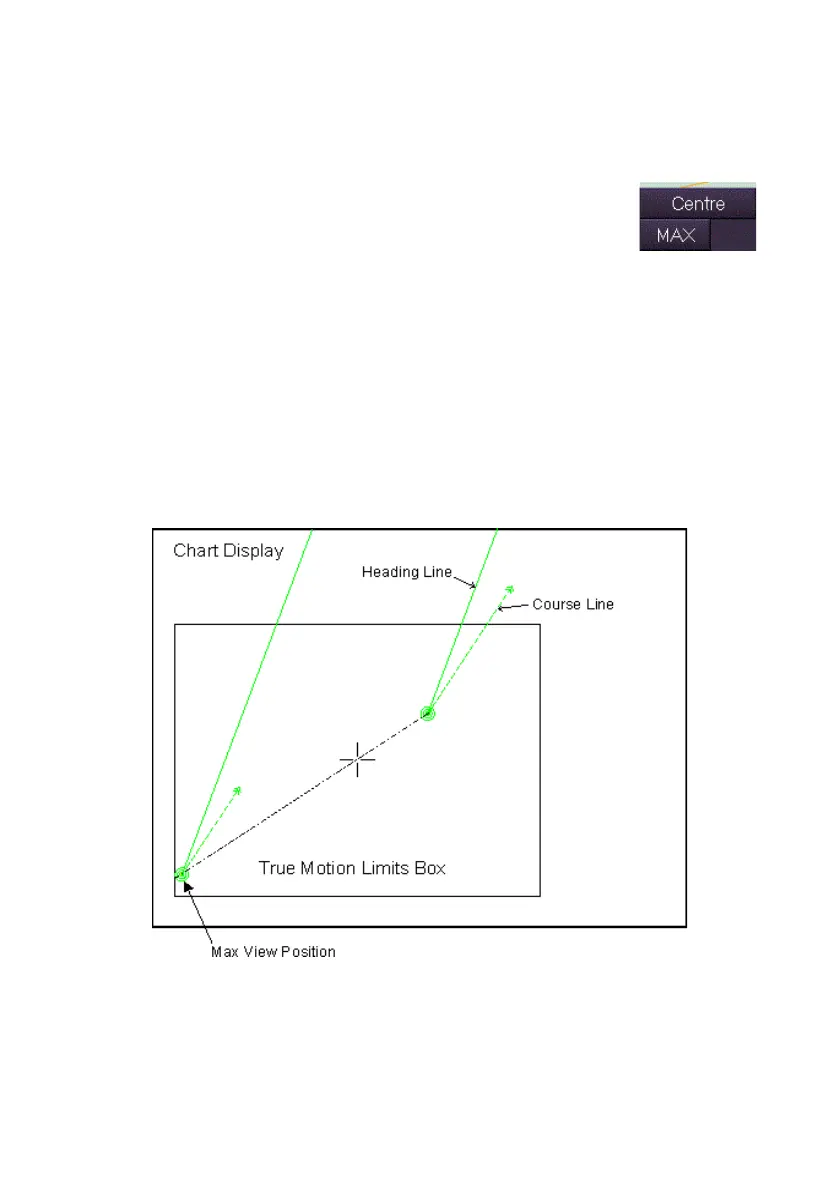
Clicking on the MAX button positions own ship's CCRP at the edge of the
TM limits box, so that a line drawn from it in the direction of the current
course passes through the centre of the box.



 To Next Page