Navigation Tools ECDIS-E User Guide
5-26 65934012
Optional Optical Bearing Sensor (OBD)
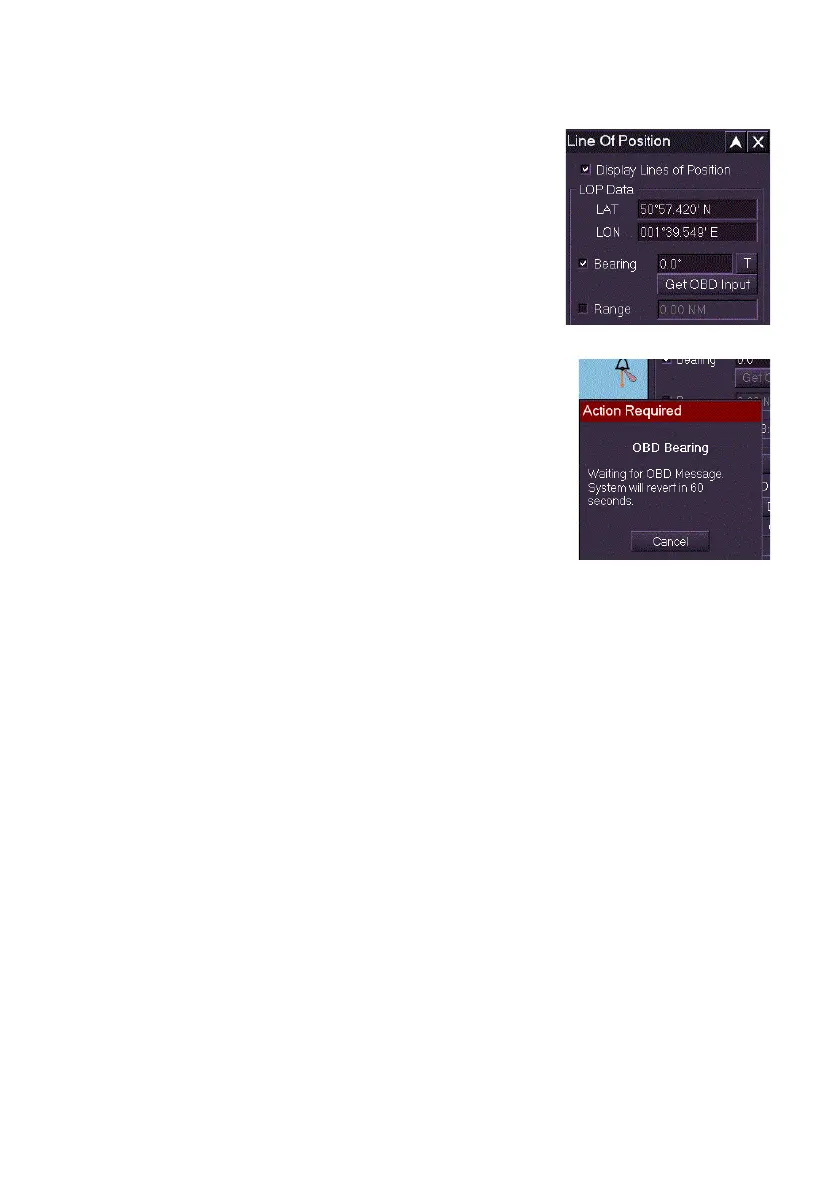
If the system is configured to include an Optical
Bearing Device there will be an additional ‘Get OBD
Input’ button in the LOP window. Selecting this button
will open a dialogue box indicating to the user that the
system is ready to receive data from the OBD.
To use optional OBD
1. Click the Get OBD Input button. An Action
Required dialogue window appears informing
the operator that the system is waiting for message data from the
OBD.
Once the input from the OBD has been
received the dialogue will close and the
Bearing value in the LOP menu will be
populated with the received data.
2. If data is not received from the OBD after a
timeout period of 60 seconds, or if the user
clicks the Cancel button, the system will
revert back to the menu and allow manual
entry of data.
If the bearing value is entered using an OBD, the time the message was
received from the OBD will be used and shown in the Time field. The value
represents the time the LOP was taken and used for dead-reckoning
calculations.



 To Next Page