ECDIS-E User Guide System
65934012 13-7
• SevenCs - enables selection of SevenCs chart features, see Chart
Settings – Symbology.
• Target Settings – enables various target settings to be selected.
To change profile selections do the following:
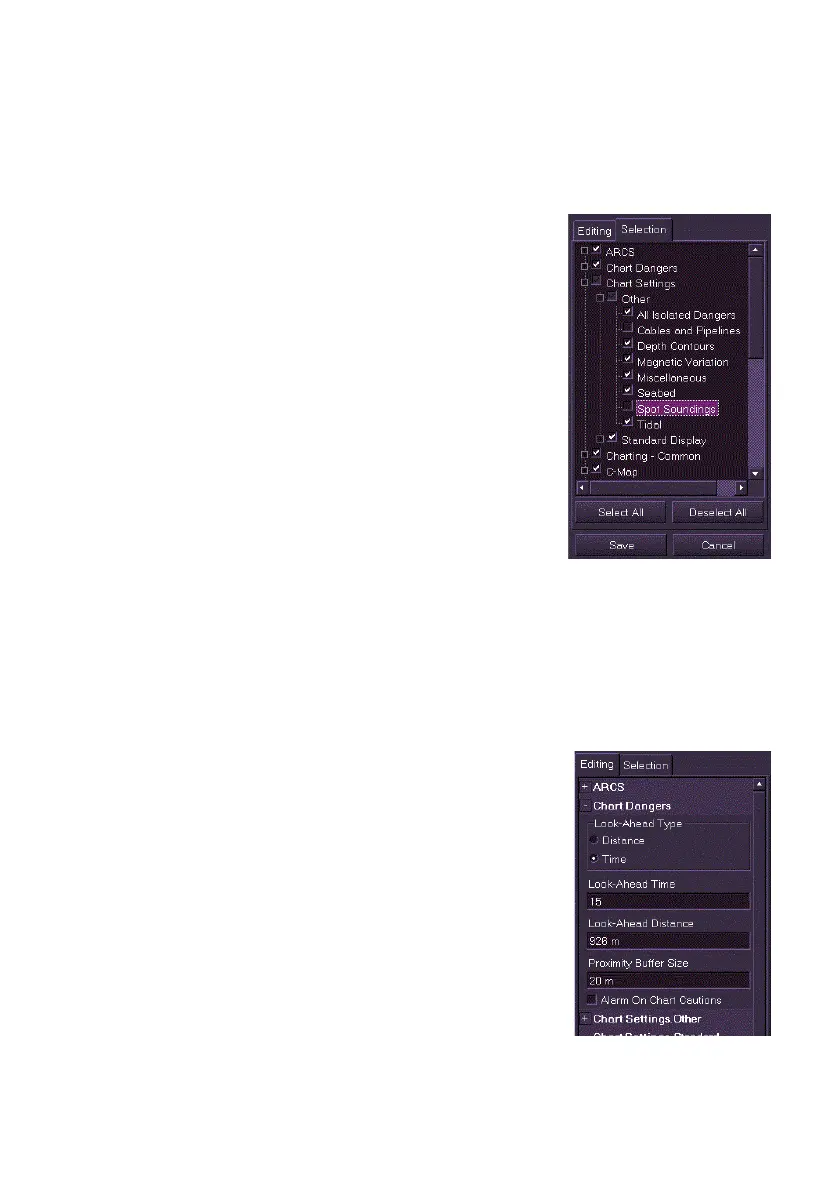
All features listed in the Profile Selection groups
are selected by default. Features may be
deselected, although once deselected in the
Selection tab those features will not be available
to edit in the Editing tab.
To deselect profile features:
1. To deselect individual profile features
open the navigation tree by ticking the
group sub menu check box and untick
the check boxes of the individual
features that are not required.
2. To select all the features in the
Selection list click the Select All button,
or to deselect all the features, including
the selected profile settings, click the
Deselect All button.
3. Click the Save button to confirm selection changes, or click the
Cancel button to return to the previous screen.
View/Edit Profile – Editing
The features selected in the Selection tab folder will be available for editing
in the Editing tab folder. Note that if a feature has been deselected in
Selection it will not appear in the Editing folder.
To edit a user profile, do the following:
1. To select or deselect a profile feature tick (or
untick) the feature’s check box.
2. To change a value (for example, distance or
time):
a) Click in the required field, the text
becomes green (editable).
b) Move the trackball left to decrease the
value or right to increase the value, with
the required value entered left click to exit
edit mode.



 To Next Page