Sensor Management ECDIS-E User Guide
6-4 65934012
Sensor Data Sources
Heading Source Values
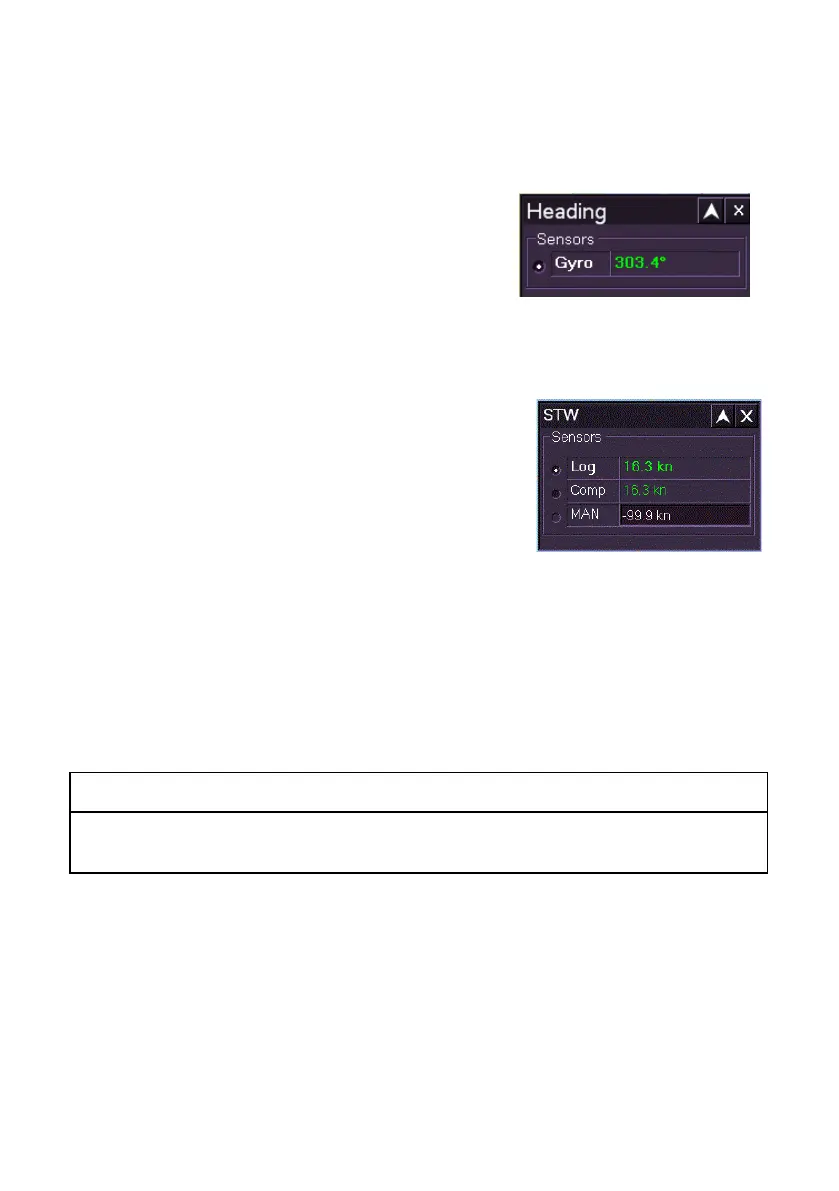
The Heading window lists the commissioned
heading sensor source (usually Gyro) with the
sensor source and its current bearing value in
highlight.
If the heading data becomes invalid while the
ECDIS-E is in Course Up mode the presentation mode will switch to North
Up after 30 seconds.
STW Source Values
The STW folder lists the available STW sensor
data sources with the currently active sensor
source and its value in highlight.
If Computed is selected for the sensor data
source for STW the system continually computes
the values based on other active types of sensor
data received.
To change the STW sensor source and values, do the following:
1. Tick the button next to the source. Whenever the sensor source is
about to be changed a window prompts you to confirm the change.
2. To confirm click the Yes button, or to return to the previous sensor
source and value click the No button.
If no sensor source is currently available the user can enter manual sensor
data.
CAUTION: MANUAL SENSOR DATA
Using manual data is not the normal mode of operation. A sensor
device should be selected as soon as valid data is available.
1. To enter manual sensor data click in the MAN field, the text
changes to green (editable). Move the trackball left or right to enter
the required value and left click to exit edit mode.
2. Click the MAN button to enter the value.
3. Where the sensor is changed the values shown against the
selected data source are applied. If manual data is entered the
STW readout shown in the Indicator Display is displayed in yellow.



 To Next Page