ECDIS-E User Guide Charts
65934012 4-49
Edit Chart Update
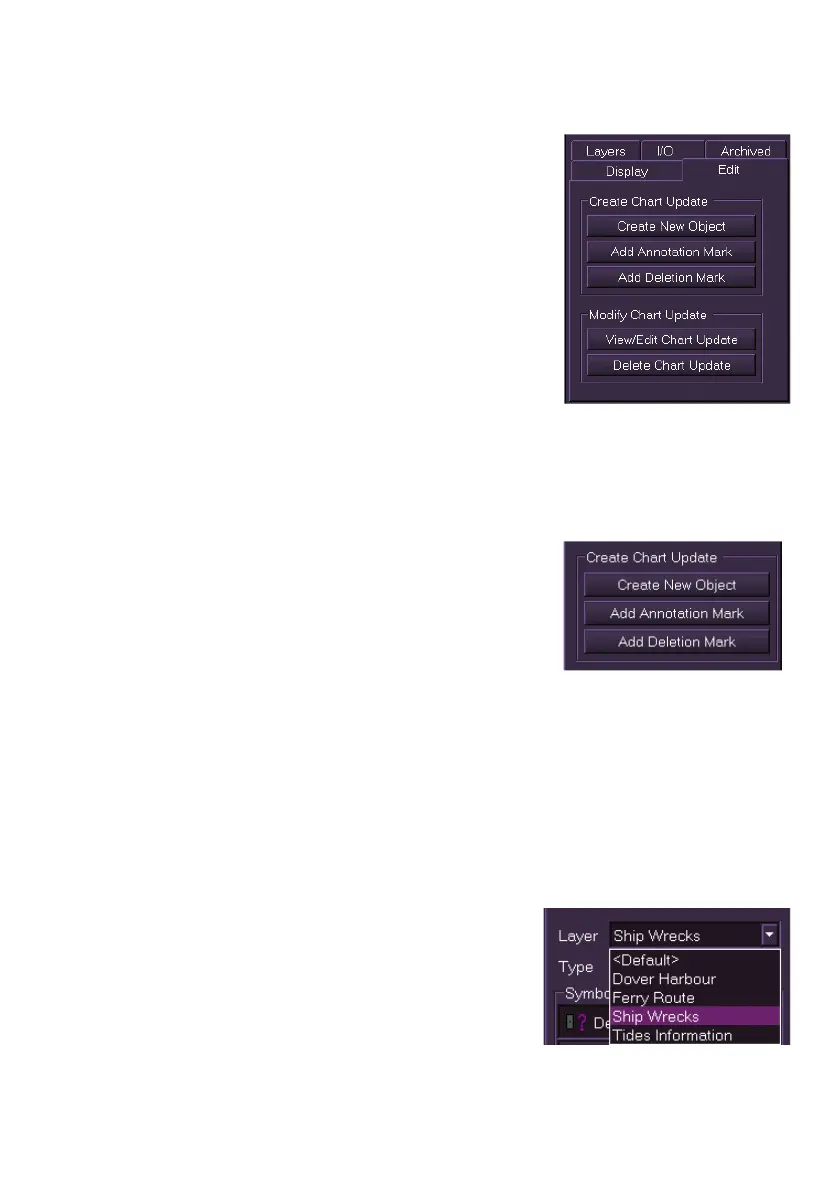
The Edit tab folder is divided into two areas:
Create Chart Update and Modify Chart Update.
The Create Chart Update area includes the
following links:
Create New object
Add Annotation Mark
Add Deletion Mark
The Modify Chart Update area includes the
following links:
View/Edit Chart Update
Delete Chart Update
Create and Modify Chart Updates
Create Chart Update
The Create Chart Update area of the Edit tab
folder enables you to do the following:
Create New Object - creates a new chart
object on an existing chart
Add Annotation Mark - adds an annotation
mark to an ENC chart object
Add Deletion Mark - adds a deletion mark to an ENC chart object.
Create New Object
All chart objects are created from Create New Object. When the button is
clicked a Chart Update Creation function appears.
To create a new chart object onto an existing chart do the following:
1. Click on the Create New Object button. The following screen
allows you to specify details about the object to be created.
2. To associate the update to a specific
layer click on the Layer drop down
arrow and select from the list. If no
layers have been created the update will
associate to the default layer.



 To Next Page