Basic Operation of ECDIS-E ECDIS-E User Guide
3-12 65934012
Sensor Data Display
The ECDIS-E acquires sensor data via interfaces on the panel PC.
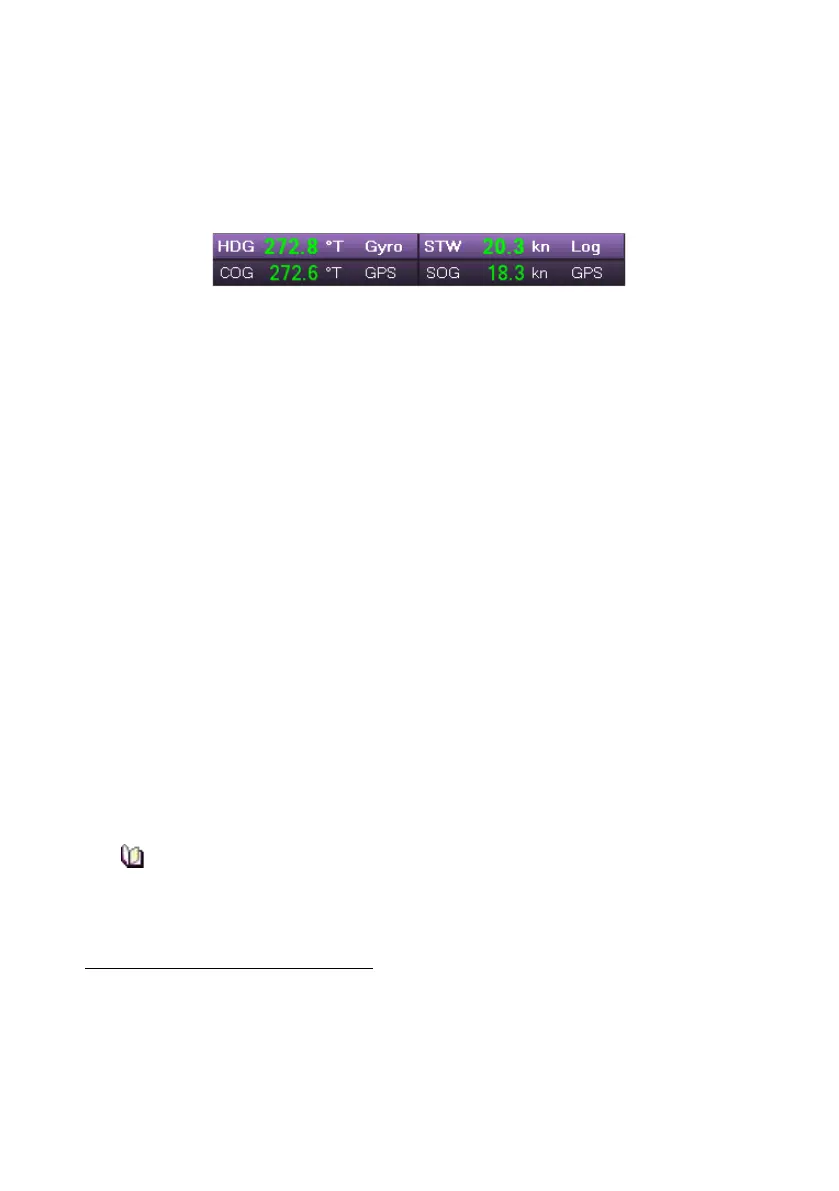
The sensor information relating to own ship's heading, course and speed is
displayed in the sensor data display at the top left of the upper toolbar area
Each sensor is identified by the following data types:
HDG (Heading)
STW (Speed Through Water)
COG (Course Over Ground)
SOG (Speed Over Ground)
For each data type, a sensor source must be selected to provide the
required data. The selected sensor source for each data type can be
viewed, or where necessary changed, from the Sensors menu.
The four data type fields are divided into three columns:
Caption
The captions are always the abbreviated data types listed above.
Readout
Shows the current heading direction (as indicated by the Heading Line),
course and speed (through water and over ground) as indicated by the
selected sensor.
A readout of true heading is always displayed, unless compass alignment
is being prompted, or a compass error
1
has occurred.
Valid sensor data is shown in green. If the data is currently invalid it is
shown in yellowish-orange.
If the SOG goes below 0.5 knots the COG value will show as a
series of green dashes. The COG will return to display an active
course bearing when SOG is at 0.5 knots or higher.
1
A compass error will cause the heading readout to change from green to yellowish orange
and a compass alarm will be raised. When heading data is unavailable the only presentation
mode available is North Up.
For certain types of compass input, it will be necessary to align the heading readout by
manually entering the current heading after the chart display is switched-on. The need for
alignment is indicated by the heading readout flashing green.



 To Next Page