ECDIS-E User Guide Navigation Tools
65934012 5-31
Parallel Cursor
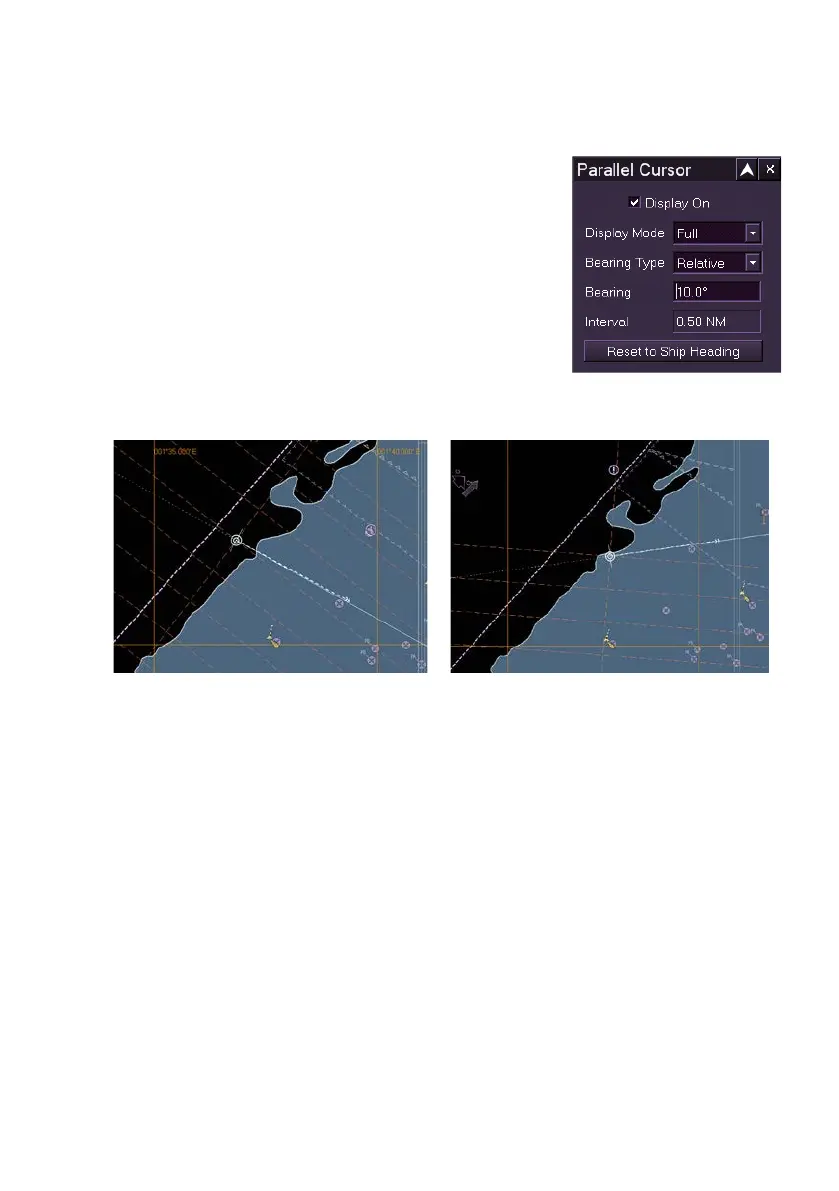
The Parallel Cursor facility enables a rotating
parallel cursor centred on own ship's CCRP to be
displayed.
The parallel cursor graphics consist of two
dashed orthogonal lines (axes) extending to the
edge of the chart display with their axis crossing
point at CCRP, the end points of each line are
marked with a semi-circular marker at the edge of
the chart display . A series of equally spaced
dashed parallel lines, spaced at the currently set
range ring interval, are shown on either both sides of the CCRP (full mode)
or one side of the CCRP (half mode).
To access the facility click on the Parallel Cursor field from the NAV Tools
menu list. The Parallel Cursor window is displayed.
To turn on the Parallel Cursor and change settings do the following:
1. To turn the parallel cursor on tick the Display On check box. The
first time the parallel cursor is displayed, one cross axis runs
parallel to ship’s heading and the display mode is in full.
2. When the parallel cursor is displayed the Interval field changes
from Cursor Off to displaying the line interval in nautical miles
(NM). To increase or decrease the NM interval change the scale
ratio.
3. To toggle between Full and Half mode click on the Display Mode
drop down arrow.



 To Next Page