ECDIS-E User Guide Electronic Range and Bearing Lines
65934012 10-7
Dropping an EBL/VRM on the Display
An EBL/VRM may be dropped at any position on
the chart display.
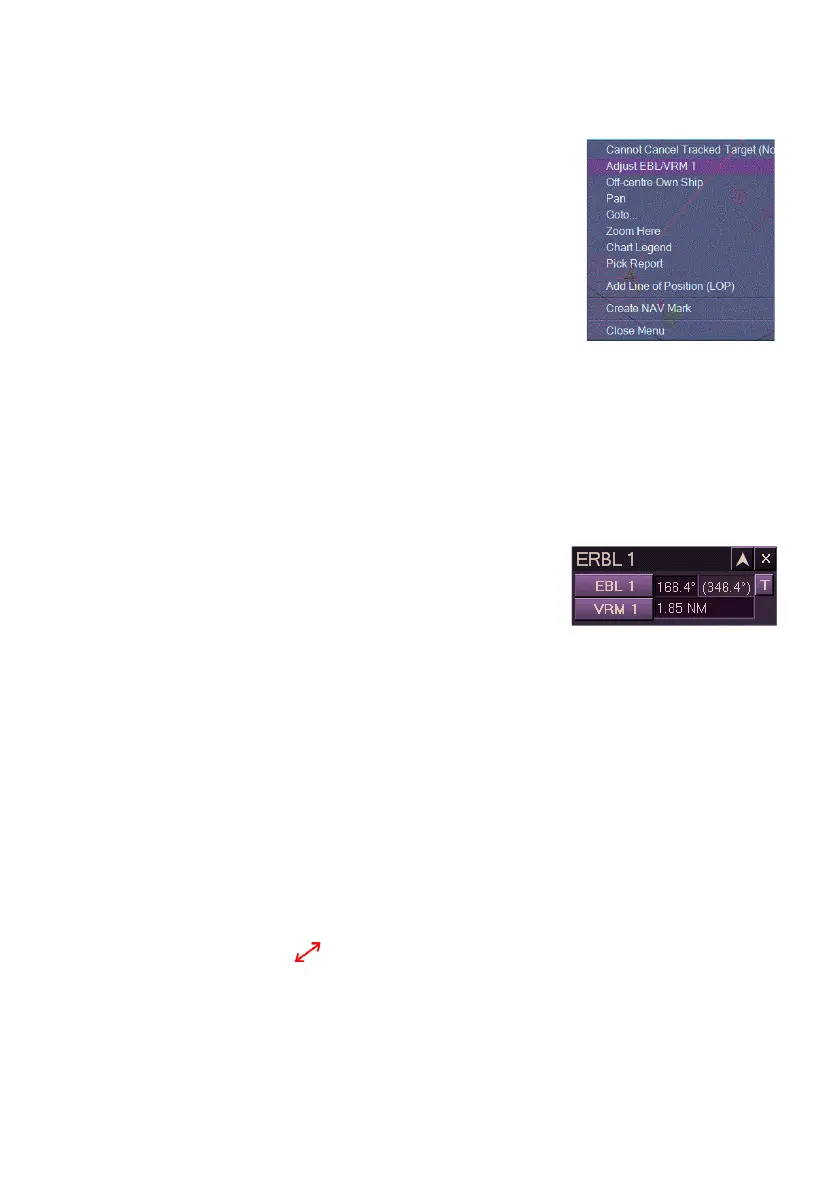
To drop an ERL/VRM right click at the required
location and select Adjust EBL/VRM1 from the
context window. An EBL and VRM are created at
the location, after a short period of time the EBL
and VRM display the previously maintained
settings
The range and bearing of the EBL/VRM can be
adjusted on the display by moving the trackball.
Variable Range Marker (VRM)
Each VRM can be turned on or off independently. Previous settings are
remembered after being switched off. Default range values for VRMs is
VRM 1 - 2.5 NM; VRM 2 - 4.5 NM.
To turn on a VRM do the following:
1. Left click VRM button. This becomes
highlighted and the range value entered
is displayed. The VRM is shown as a
dashed circle centred on the CCRP. The
size of the circle is shown by the VRM range readout.
Alternatively, turn the VRM rotary control on the control panel to
switch on VRM1.
2. To turn the VRM off, left click the VRM button. The VRM is
removed from the display and the range value is replaced by “Off”.
To change the VRM range do the following:
There are two methods of changing the range of a VRM.
1. To change from the VRM readout, follow the procedure described
in `Changing the ERBL Range’;
Or:
1. Move the cursor anywhere over the VRM circle line, the cursor
changes to .
2. Left click and hold on any point of the circle line.
3. Move the trackball left or right to change the size of the circle.
Range readout automatically changes in the VRM field.
When the range is correctly set left click to accept.



 To Next Page