Charts ECDIS-E User Guide
4-48 65934012
Layers
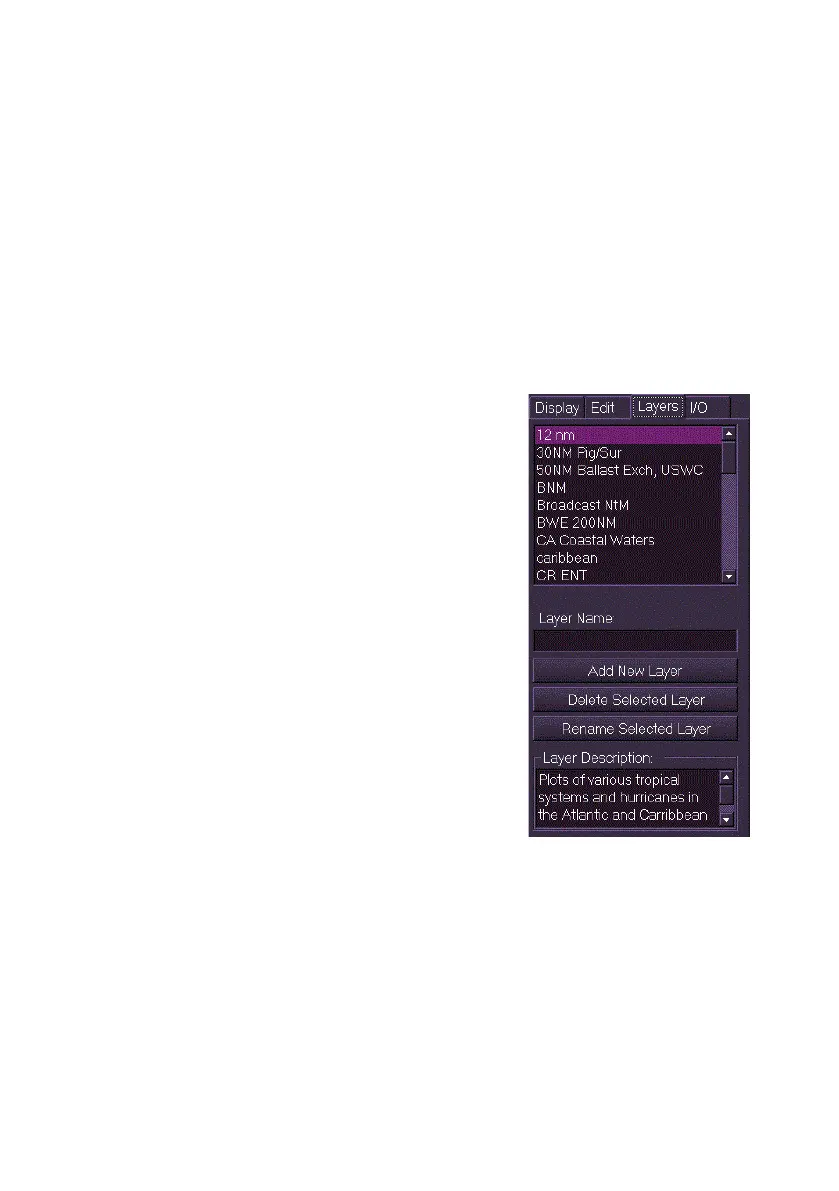
The Layers tab enables you to create, edit, and delete layers. Layers
provide a way to group sets of related manual chart updates, see Create
Chart Update. Groupings may be made based on different criteria such as
geographic region, time period, navigational mode, or danger
classification. The display of chart updates within layers can be controlled
from the Display folder, see Display Chart Updates.
Chart updates can also be imported or exported based on their layer
grouping, see Importing/Export.
To create, rename or delete a chart layer do the following:
To create a new layer:
1. Click in the Layer Name: field, the
screen keypad appears.
2. Using the keypad enter a name for the
layer and click the Add New Layer
button. The layer name appears in the
Layers list. If more than one layer is
created the field lists the layers alpha-
numerically.
3. To enter a description of the layer click
in the Layer Description field and
enter a description using the screen
keypad.
To delete a layer:
1. Select the layer from the list and click
the Delete Selected Layer button, a
delete confirmation window appears.
2. To confirm layer deletion click the Yes
button, or to cancel the deletion click
the No button. The layer is removed from the list when deleted.
To rename a layer:
1. Select the layer from the list, enter the new name in the Layer
Name: field as described above, and click the Rename Selected
Layer button. A rename confirmation window appears.
2. To confirm the layer rename click the Yes button, or to cancel the
rename click the No button. The selected layer is renamed in the
list.



 To Next Page