ECDIS-E User Guide Brilliance
65934012 11-5
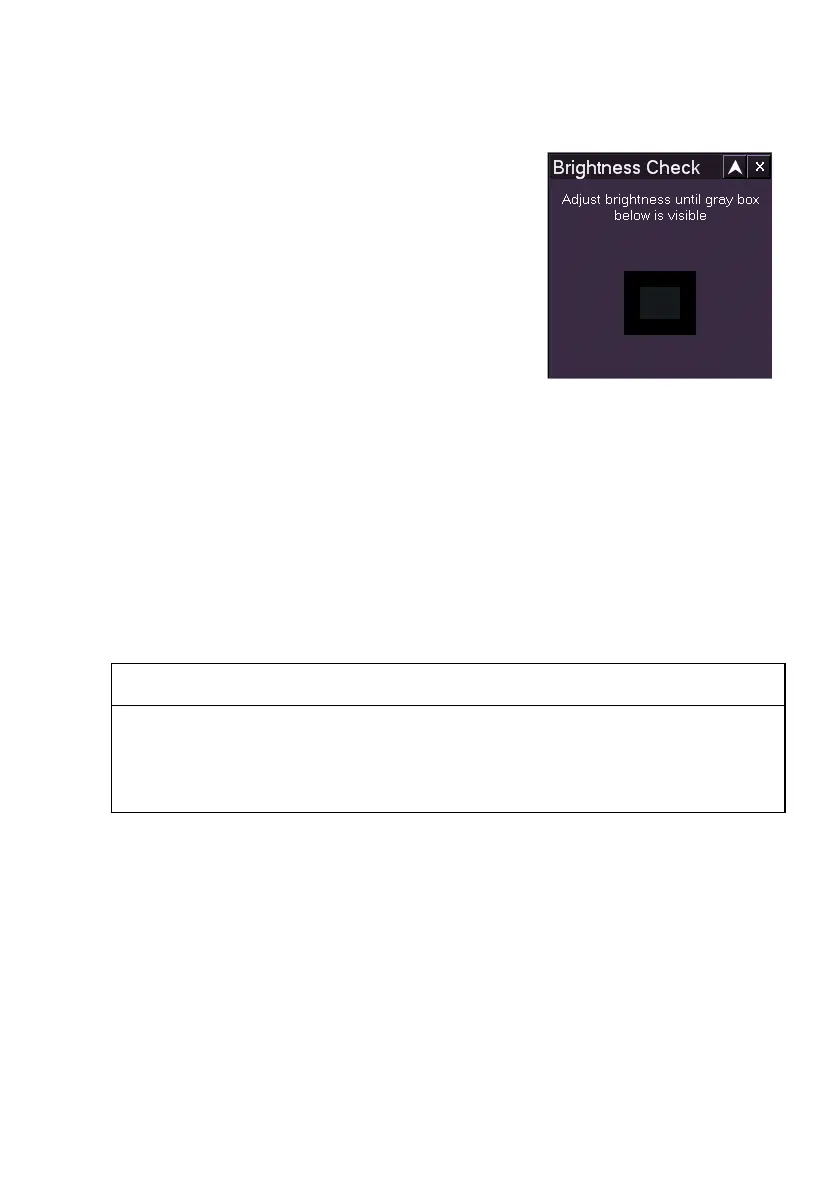
Brightness Check
The Brightness Check is a method of accurately
setting the ECDIS-E panel PC monitor's
brightness control to an optimal setting.
The brightness check window contains a grey
box within a black rectangle. When a brightness
check is performed the operator adjusts the
monitor controls while observing the grey box.
Adjust the panel PC monitor brilliance
adjustment by touching the (+) and (-)
illuminated symbols.
• Turn the brightness down by touching the (-) symbol and observe
the grey box in the centre of the window. If the box is not visible,
increase the brightness by touching the (+) symbol until it can be
just distinguished in the window; or
• If the box is clearly visible, leave the brightness adjustment at the
current setting. The correct calibrated setting shows the ECDIS text
illuminated in green.
After the brightness check adjustments have been made, the `black level'
of the monitor is correctly set. Use the brightness adjustment only if further
adjustment is required for visibility.
WARNING
SYSTEM SHOULD BE KEPT IN ECDIS CALIBRATED POSITION
(GREEN). USE OF THE BRIGHTNESS CONTROLS TO MOVE
AWAY FROM THIS POSITION MAY INHIBIT VISIBILITY OF
INFORMATION, PARTICULARLY IN NIGHT MODE.



 To Next Page