ECDIS-E User Guide Targets
65934012 9-29
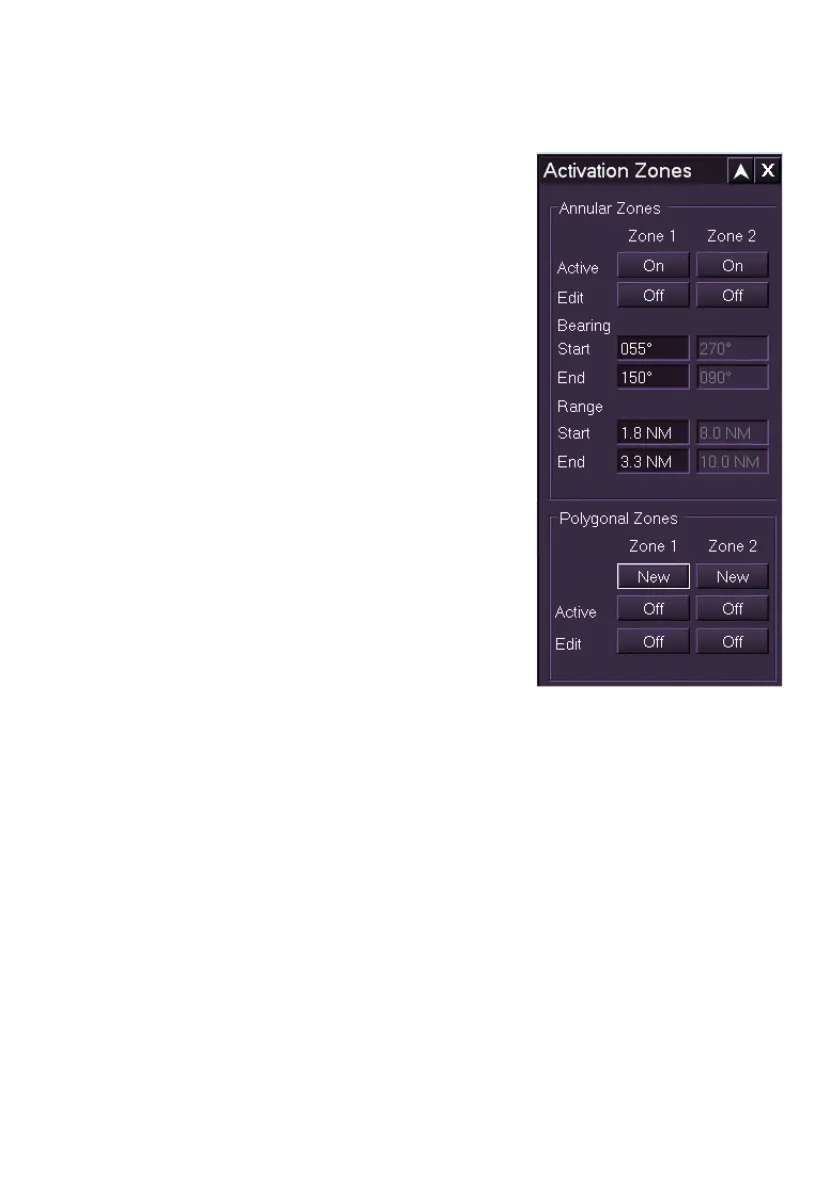
Activation Zones
An activation zone is a defined annular or
polygonal area of the display. Targets that
enter an activation area are automatically
activated and an AZ Entry alarm is raised.
There are two annular and two polygonal
activation zones available, which can be turned
on and off. The annular zone parameters are
edited from the Activation Zones window, or
on the display; the polygonal zone parameters
are created and edited only on the display.
When an activation zone is active the zone
parameters are shown on the display as a solid
green line. When an activation zone is being
edited its line colour changes from green to
light purple.
Any targets found in an activation zone are
marked by a flashing activation zone symbol
(see AIS Target Alarm States in AIS Targets)
and an AZ Entry alarm is raised. The activation
zone symbol is turned off when the AZ entry
alarm is acknowledged, or the zone is turned
off. The activation zone symbol is temporarily
turned off if the zone is being edited.
There is a limit on the number of targets within all active zones. An AZ Full
alarm is raised when the next target enters the zone after the limit has been
reached. The AZ Full alarm is cleared when the number of targets falls
below the limit.



 To Next Page