ECDIS-E User Guide Brilliance
65934012 11-3
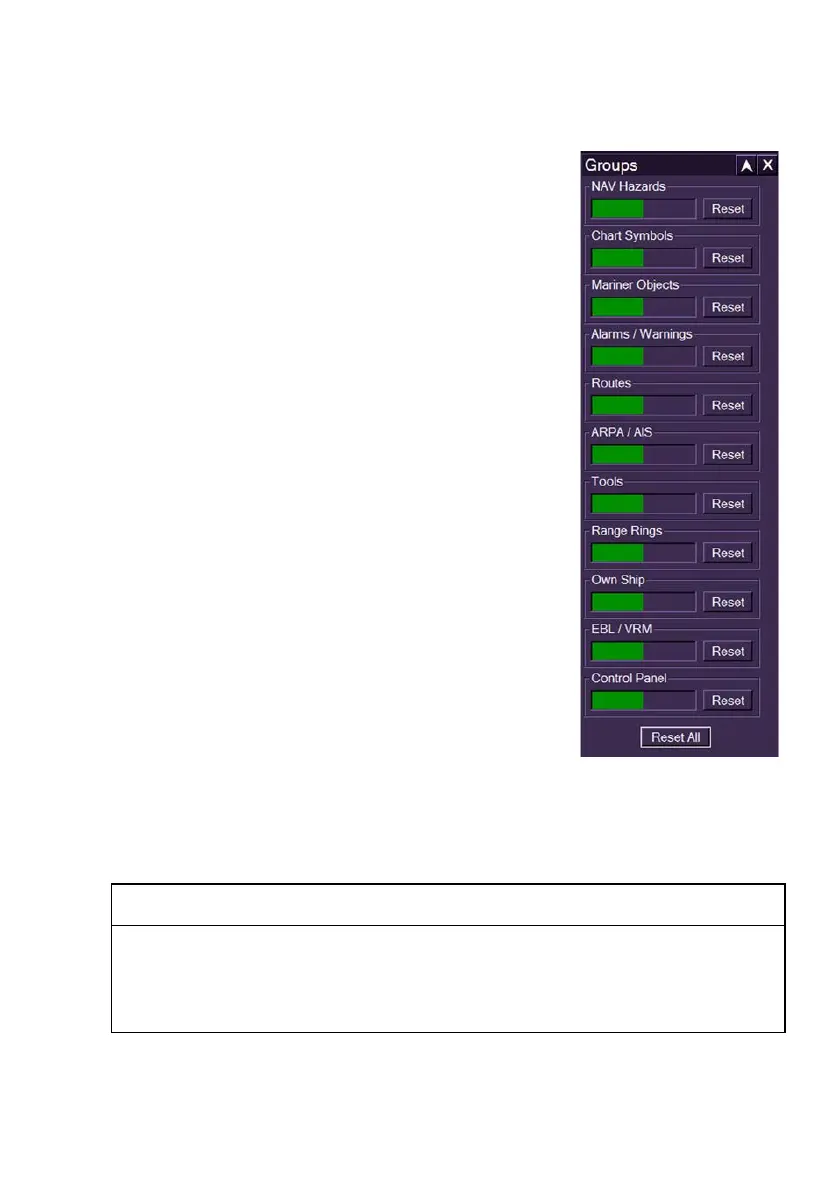
Brilliance Groups
This feature enables you to independently adjust
the brilliance of the following predefined groups:
Chart Symbols
Mariner Objects (NAV Tools)
Alarms / Warnings
Routes
ARPA / AIS data (to extinction)
Tools (includes PI lines, rotating cursor,
constant turn radius, etc.)
Range Rings
Own Ship (heading line)
EBL / VRM
Control Panel
To adjust an individual group or all groups do
the following:
1. Position the screen cursor over the control
you wish to change.
2. Left click to make control bar active. The
bar colour will appear blue.
3. Move the trackball left or right to move the
bar to the level required.
4. Left click to set the level and de-activate
the bar adjustment. The bar will return to
its previous shaded state and display the new level.
To reset an individual brilliance group back to the default setting click on
the group's Reset button. To collectively reset all previously edited groups
click the Reset All button at the bottom of the window.
WARNING
DO NOT ADJUST THE NAV HAZARDS OR CHART SYMBOLS
BRILLIANCE GROUP FROM THE DEFAULT VALUE OR THIS WILL
AFFECT THE ECDIS COLOUR CALIBRATION AND MAY INHIBIT
VISIBILITY OF INFORMATION, PARTICULARLY IN NIGHT MODE.



 To Next Page