ECDIS-E User Guide Routes
65934012 8-45
4. The Overall, Selected Turn or Waypoint DTG default values may
be changed by clicking in the relevant fields and moving the
trackball left or right to increase or decrease the values. The DWOL
is changed by adjusting the Waypoint DTG. When own ship has
passed the DWOL the field changes to displaying Past on a red
background.
Temp routes are not normally the recommended means to make
urgent manoeuvres, therefore increasing the waypoint DTG is the
preferred option when the temp route is to be used to make a
significant course change.
Monitoring a Temporary Route
The temp route must pass route validation before it can be monitored. If a
temp route is invalid a temporary prompt appears, validation errors must be
repaired in Create/Edit mode before monitoring.
To monitor a temp route do the following:
1. With a temp route created and validated, click on the Start button
in the Monitoring Controls. The temp route now becomes the
monitored route, the colour of the route changes to red and the
Monitor Route window opens on the Route tab folder with
Temporary Route in the monitored route field.
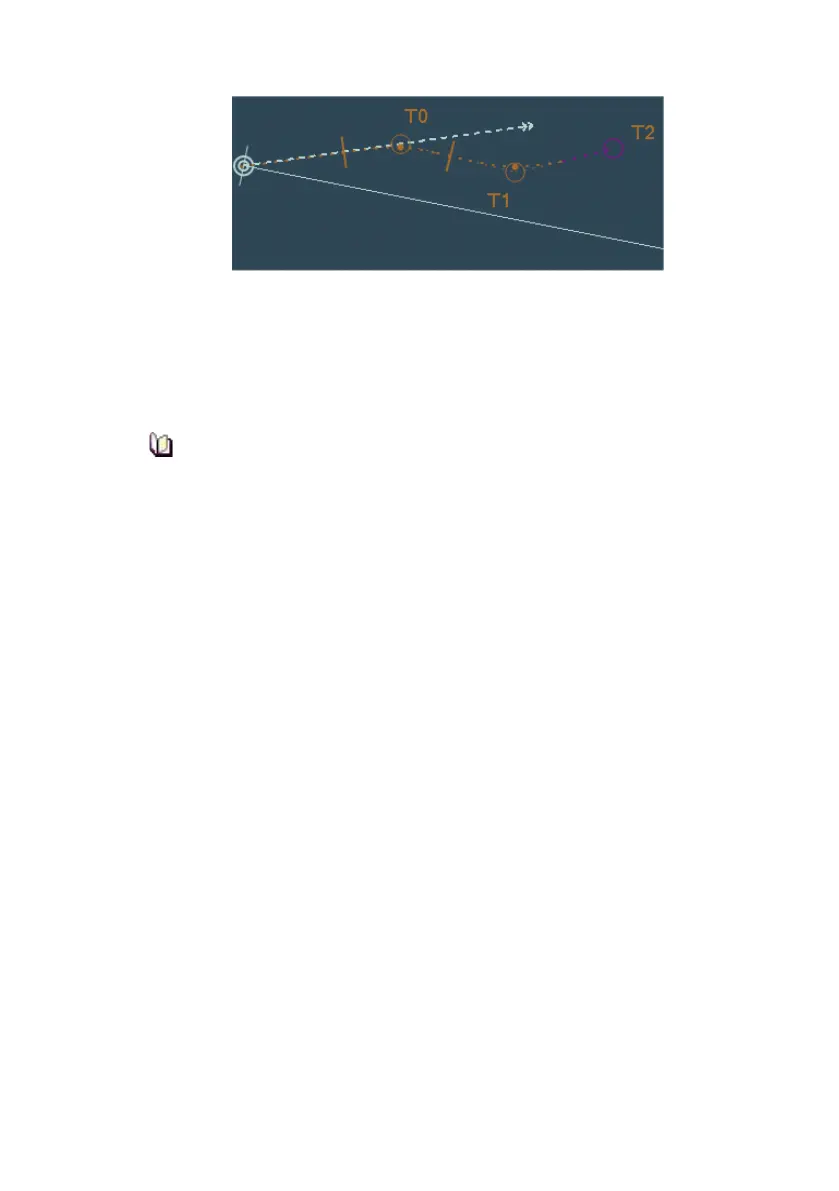
2. Own ship begins sailing along the first leg of the route towards T0.
The Monitor Route tab folder displays the same monitoring values
for a temp route as shown for planned routes, see Monitoring
Routes.
3. To clear a non-monitored temp route from the chart window and
Temp Route folder click on the Clear button. If there is a planned
route loaded, the monitoring window will revert to displaying the
ship’s status against the planned route.



 To Next Page