ECDIS-E User Guide Charts
65934012 4-11
Chart Updates Summary
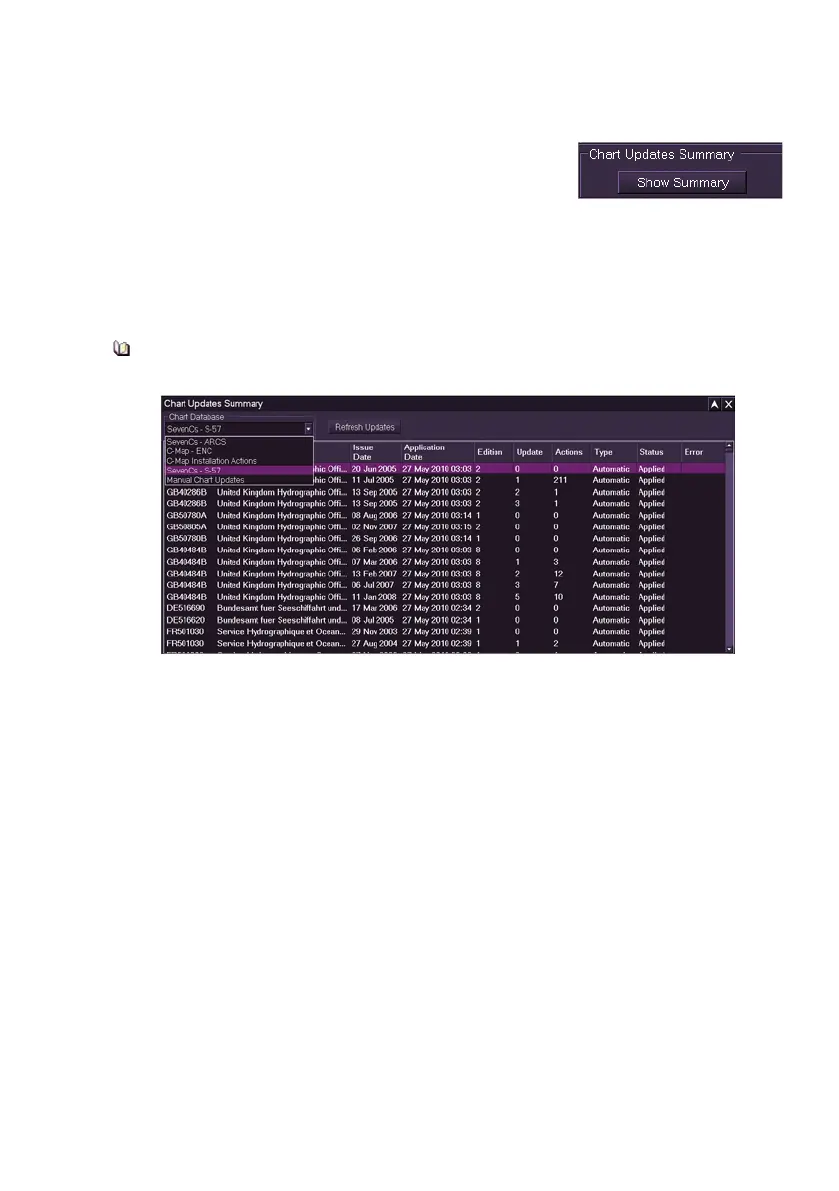
The Chart Updates Summary enables update
information on SevenCs chart databases, and
updates made by the operator using manual chart
update to be displayed in a separate window.
To access the window click the Show Summary button. A Charts Update
Summary window appears displaying details (if any) of chart updates on
the currently loaded chart database. To select another database, or manual
chart updates, click on the drop down list.
Please note that the Chart Updates Summary list may take a while to
populate.
The information shown in the summary report for each of the update files is
dependent on the chart database selected. For example, a SevenCs S-57
or C-MAP database shows the following columns:
Reference for the chart (`Chart' for C-Map, `Name' for SevenCs)
Chart issue date
Application date and time
Chart edition number
Chart update number
Number of actions associated with a chart update
Chart update type (Manual or Automatic)
Status of the update (Applied, Superseded, Rejected or Deleted)
Chart errors detected (SevenCs only).



 To Next Page