ECDIS-E User Guide Charts
65934012 4-45
Legend Updates
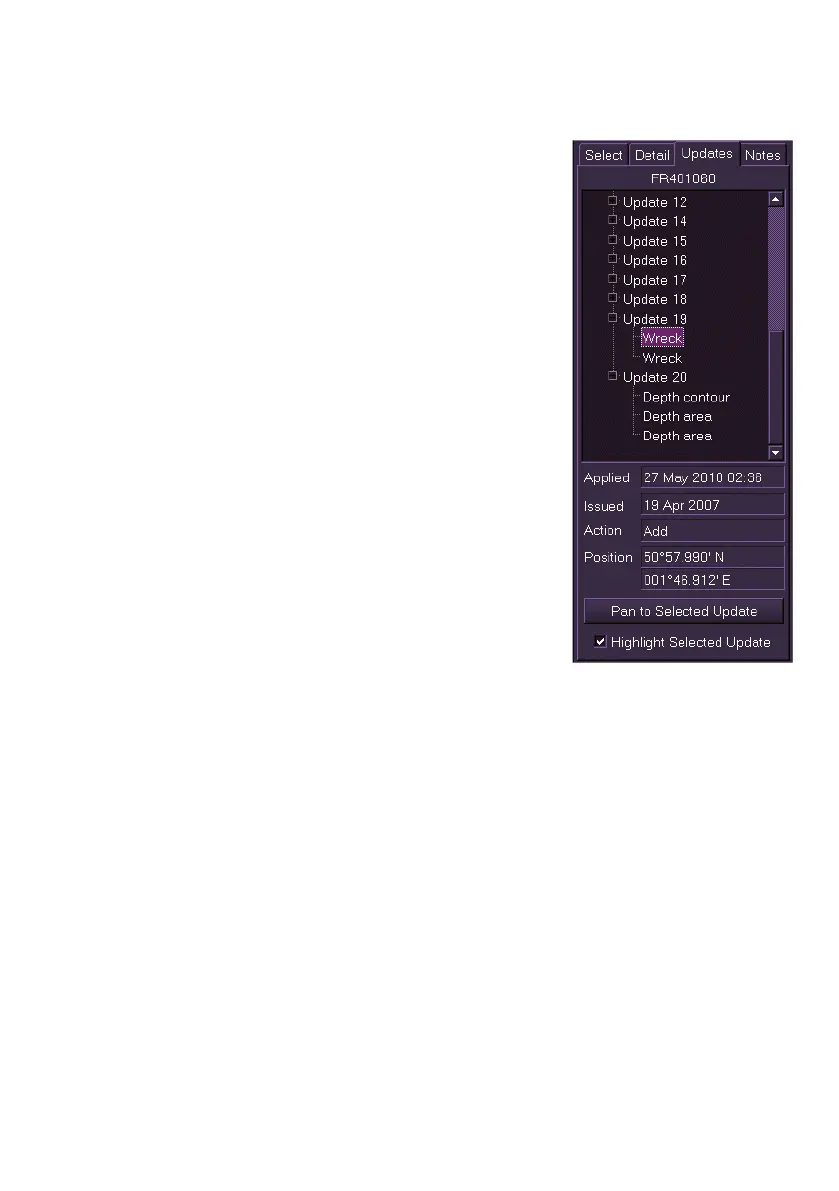
The Update folder displays the following data on
updates applied to the selected chart.
time and date the update was applied
date that the update was issued
action taken i.e. Add, Modify or Delete
Latitude/Longitude position of update
Chart updates can be selected by clicking on the
Update + box, respective update actions will be
shown in the update tree.
Details for a particular chart update action can be
viewed by selecting it in the navigation tree. The
data listed above is displayed at the bottom of the
window.
Panning to Update
To view specific updates select the chart update
from the navigation tree click and the Pan to
Selected Update box. The screen pans to the
geographic position of the update (see Off Centre,
Pan and Goto) and the TM limits are switched off.
When the Highlight Selected Update check box is
ticked the update object is highlighted on the display with a graphic
dependent on the updated object selected, see Query Results.
Click the Centre button to return the screen to own ship centred on the
display.



 To Next Page