Charts ECDIS-E User Guide
4-10 65934012
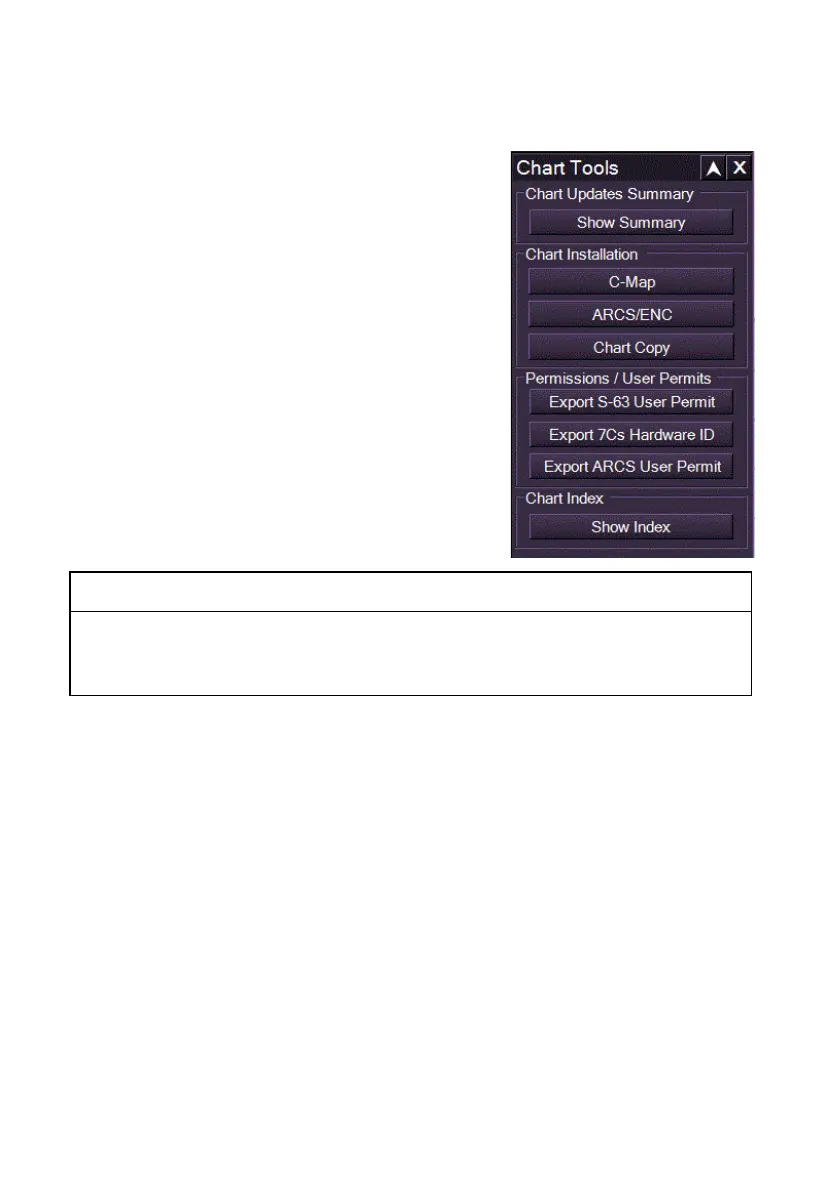
Chart Tools
Chart Tools is the opening sub-menu on the
Charts menu. From Chart Tools you can
select the following functions:
Chart Updates Summary - display a
chart updates summary in a separate
window, see Chart Updates
Summary.
Chart Installation
C-Map - enables C-Map charts
to be installed onto a VMFT
node from a separate C-Map
Chart installer utility.
ARCS/ENC - opens a Chart
Installation window from where
ARCS, ENC chart databases
can installed via the
ChartHandler utility.
CAUTION:
Switching to the Chart Installer utility requires shutting down all
navigation functions at the workstation. For information on
installing charts refer to Appendix A `Chart Installation.
Chart Copy - enables charts successfully installed on one
node to be copied to other nodes on a multi-node system, see
Chart Copy.
Permissions / User Permits - enables an S-63 permit file, a 7Cs
hardware ID or an ARCS user Permit/Pin to be exported to an
external drive. see Permissions/ User Permits.
Chart Index - displays details of all charts for a selected chart
database, see Chart Index.



 To Next Page