Routes ECDIS-E User Guide
8-48 65934012
Exporting Routes
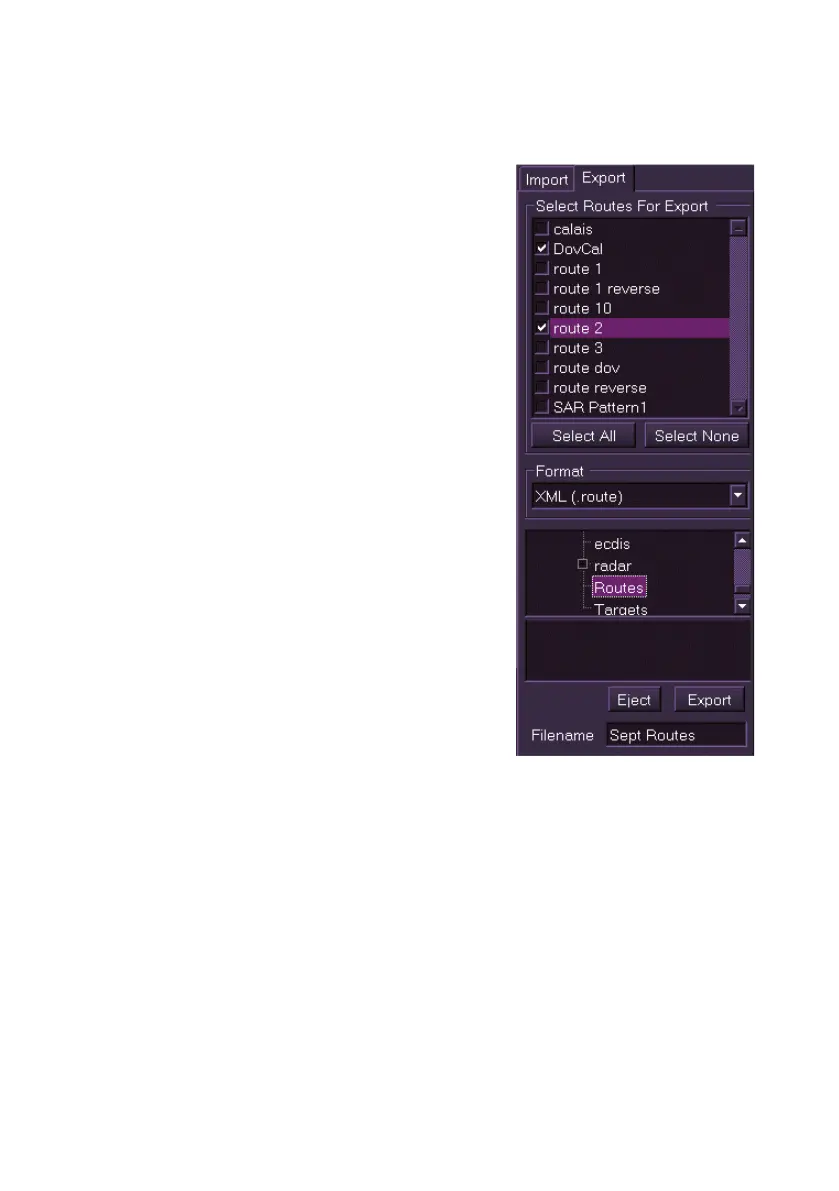
To export routes do the following:
1. If the external drive where the route(s)
are to be exported to is a USB memory
stick connect the device to a USB port
on the Trackball.
2. From the Route Import/Export window
click the Export tab. A navigation tree
listing the routes that are on the node
and available for export are displayed.
3. Select one or more routes for export by
ticking the check boxes. Or to export all
routes click the Select All button.
4. The navigation tree below the Format
field enables you to navigate to the
required folder on the external device
where the route files are to be exported
to.
5. Enter a file name for the routes in the
Filename field.
6. Click the Export button to export the
selected routes from your node to the
external device; if successful a
temporary confirmation prompt appears.
7. Click the Eject button and remove the
external device from the trackball.



 To Next Page