Targets ECDIS-E User Guide
9-30 65934012
Annular Activation Zones
The initial annular activation zone definitions are as follows:
Zone 1 4 to 5 NM range and 270° to 90° bearing
Zone 2 12 to 14 NM range and 270° to 90° bearing
An annular activation zone can be edited by changing its radial position and
depth, and by changing its start bearing and end bearing within the limits
defined below.
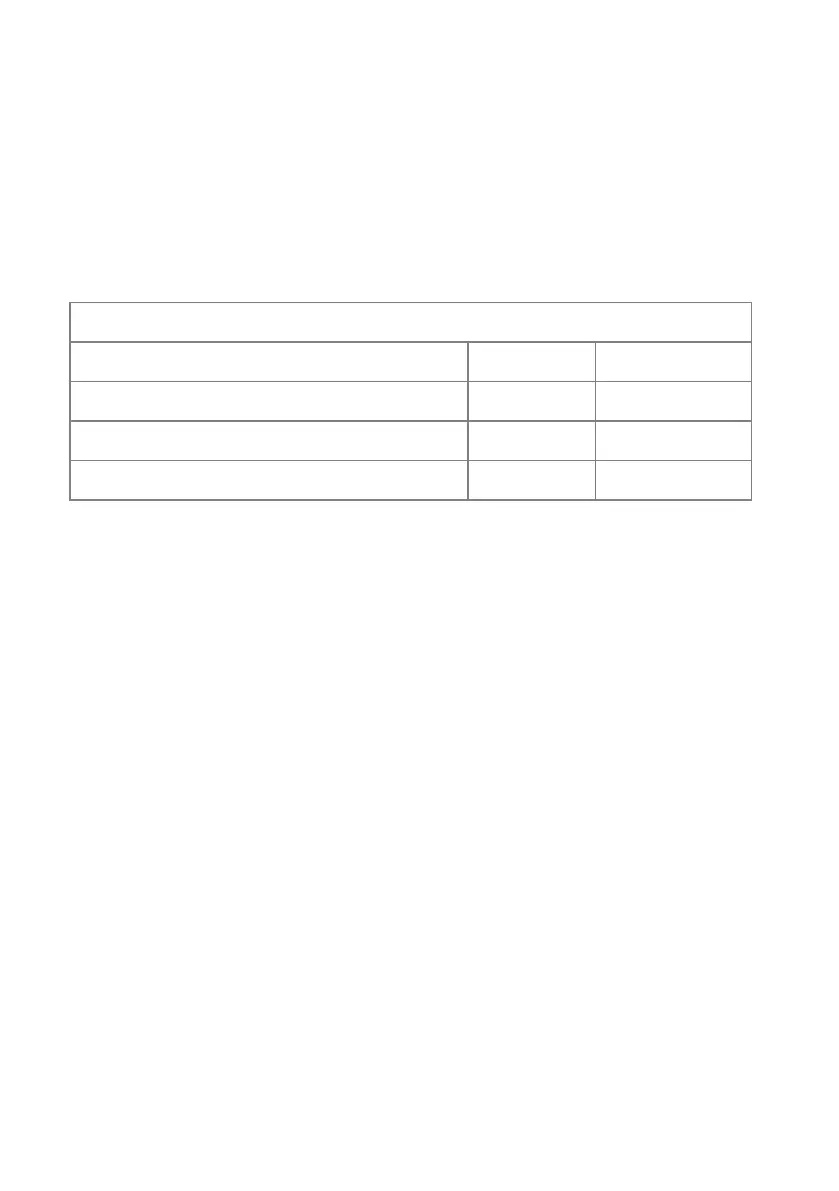
Activation Zone Limits
Parameter Min Max
End Range (in long distance units) 1.0 40.0
Start Depth (in long distance units) 0.4 2.0
Bearing 6° 354°
To create activation zone parameters from the Activation Zones
window do the following:
With the Activation Zones window opened and the zone active (On) click
on the Edit button of the annular zone to be edited (Zone 1 or Zone 2). You
can edit both the Bearing (the radial angle of the zone) and the Range (the
depth of the zone).
To edit the zone bearing:
1. Click inside the Start field. The start degree number changes from
white to green (editable).
2. Move the trackball left (to decrease the numerical degree) or right
(to increase). If the zone is switched off (inactive) the zone appears
on the display when the parameters are changed.
3. To change the End bearing repeat the procedure above.
To edit the zone range:
1. Click inside the Start field. The start NM changes from white to
green (editable).
2. Move the trackball left to decrease the range of the zone from
ownship, or right to increase the range. As the Start range is
changed the End range numerical degree changes proportionally.
3. To shorten or widen the zone range click in the End field and
change the range as described above.



 To Next Page