System ECDIS-E User Guide
13-14 65934012
DataLog
The system automatically logs all voyage data to a
single relational database management system
(RDBMS) located on the ship’s network.
The following voyage data is logged to the
database at a periodic default rate of 5 seconds:
Sensor Information
Own Ship Information
Target Information
Chart Information
Node State
The following voyage data is logged to the
database on an event-driven basis:
Routes Information
Announcements Information
A copy of the configuration file is logged to the
database on Node start up. On subsequent
startups a copy of the configuration file is logged
only if the file has changed.
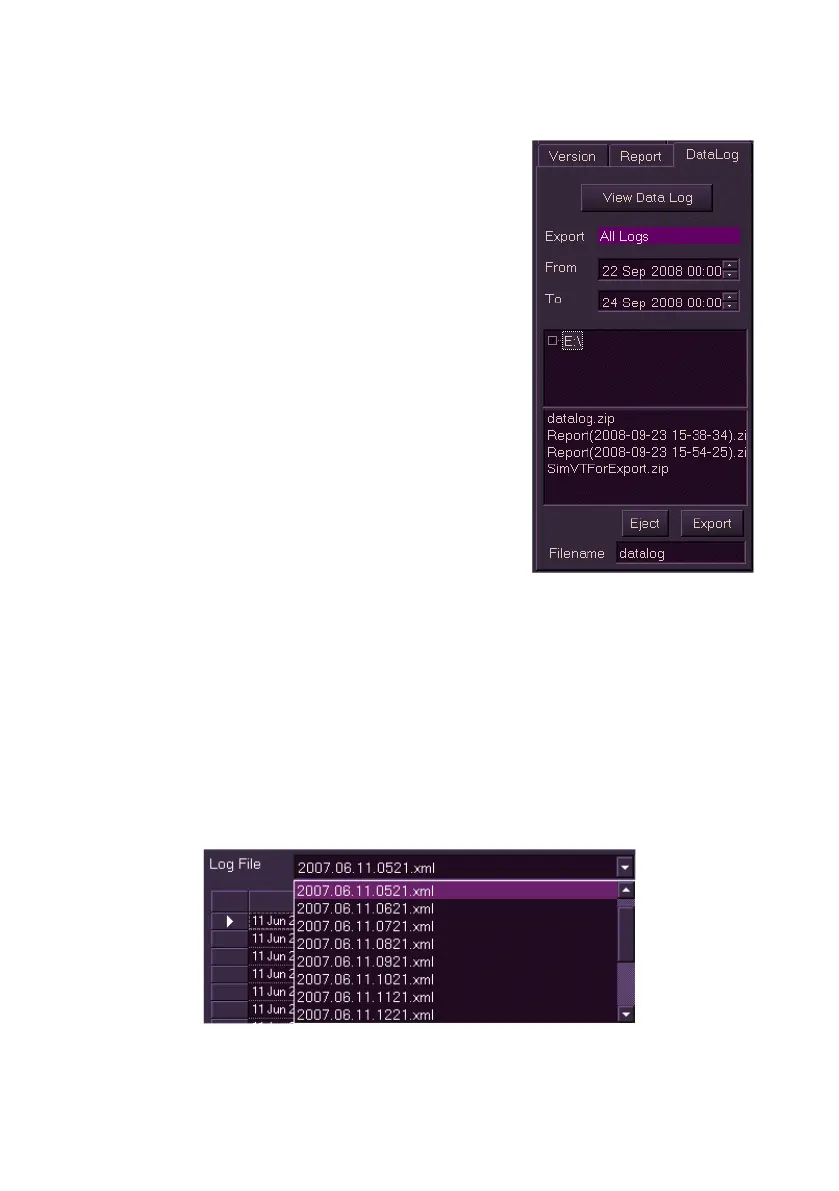
View DataLog
Individual log files can be selected from a list and their contents viewed in
table format via the Data Log Viewer.
To view datalog files do the following:
1. Click on the View Data Log button. The Data Log Viewer window
appears on the chart display .
2. To view data on a specific log file click on the Log File arrow and
select from the drop down list of xml files.



 To Next Page